Planning a baby shower and want a few beautiful photos to remember the day? You don’t always need a professional photoshoot to create something special. With Gemini’s image features, you can experiment with different backgrounds, outfits, lighting and baby shower themes using a photo you already have.
What You’ll Find in This Guide
- 10 ready-to-copy baby shower AI image prompts
- Elegant and cute baby shower photo ideas
- Indoor and outdoor photo concepts
- Baby shower decoration and theme ideas
- Tips for using your own photos
- Ways to make AI-generated photos look more natural
- Recommended image sizes for Instagram, Pinterest and Facebook
How to Use These Gemini Baby Shower Prompts
Start with a clear photo where the person’s face and clothing are easy to see. If you’re editing an existing photograph, upload it to Gemini when the image feature you’re using supports reference or image editing.
- Open Google Gemini and use its available image generation or editing feature.
- Upload your photo if you want to transform an existing picture.
- Choose one of the prompts below.
- Copy and paste the prompt into Gemini.
- Check the generated image.
- Ask for small changes if something doesn’t look right.
For example, if you like the person but don’t like the background, you can simply ask:
Keep the person and clothing unchanged, but replace the background with an elegant pastel baby shower setup filled with flowers and balloons.
The exact image-generation and editing options available in Gemini can change over time and may vary by account or region.
10 Gemini AI Prompts for Baby Shower Photos
Each prompt below has a different style, so you can choose one based on the type of baby shower photo you want to create.
1. Elegant Baby Shower Portrait
If you want a polished photo with a soft and elegant baby shower atmosphere, this is a good place to start.
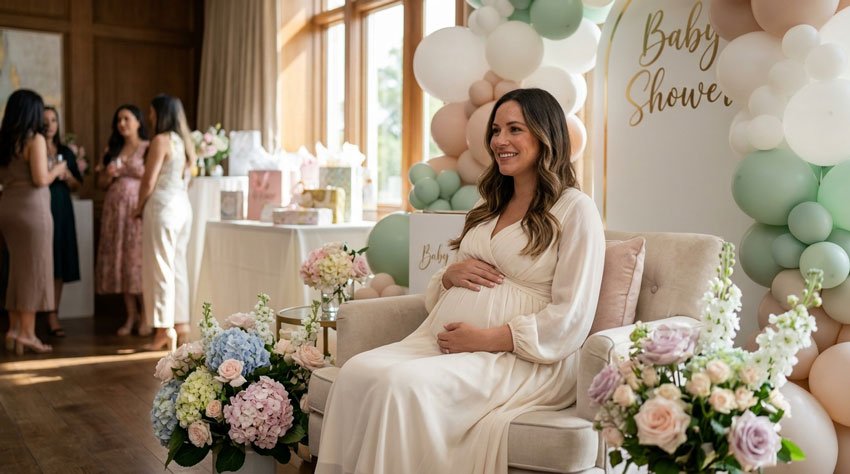
Copy the Prompt
Create a realistic and elegant baby shower portrait using the uploaded photo as the reference. Keep the person’s facial features, hairstyle and natural appearance recognizable. Place the person in a beautifully decorated baby shower setting with soft pastel flowers, elegant balloons, subtle baby-themed decorations and warm natural lighting. Use a soft neutral color palette with cream, white and pastel tones. Keep the pose relaxed and natural rather than overly staged. Create the image like a professional lifestyle photograph with realistic skin texture, natural proportions and a softly blurred background. Use a vertical 4:5 composition.
Best For
- Baby shower invitations
- Instagram posts
- Facebook photos
- Digital keepsakes
2. Floral Baby Shower Photo
Flowers can instantly give a baby shower image a softer and more celebratory feeling.
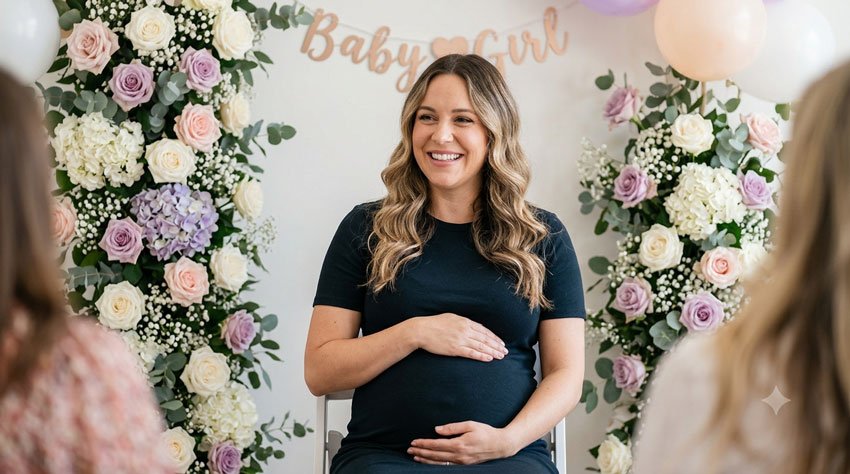
Copy the Prompt
Transform the uploaded photo into a beautiful baby shower portrait surrounded by delicate pastel flowers. Keep the person’s identity, facial features, hairstyle and natural appearance consistent with the reference image. Create a tasteful baby shower backdrop featuring white, blush pink, lavender and cream flowers arranged naturally. Add a few subtle baby shower decorations in the background without making the scene look crowded. Use soft daylight, realistic skin texture and gentle depth of field. The overall photograph should feel warm, elegant and natural, like a professionally captured baby shower memory. Use a vertical portrait composition.
Best For
- Floral baby shower themes
- Baby shower cards
3. Cozy Baby Shower at Home
A home setting can make the image feel more personal and less like a staged photoshoot.
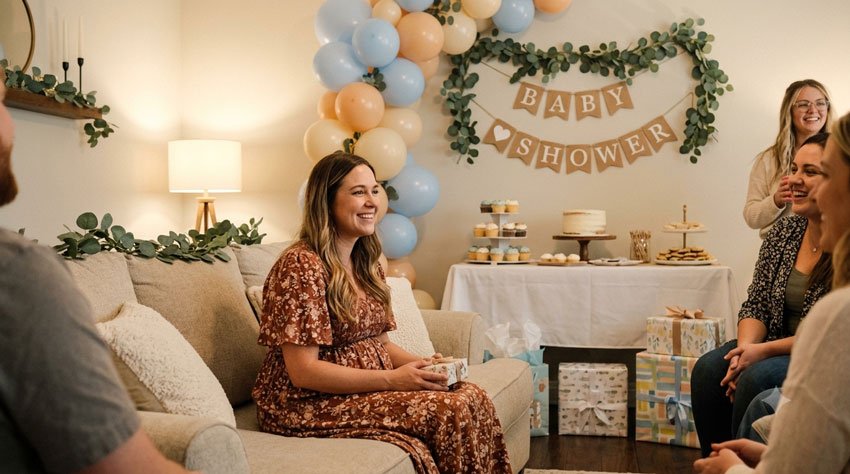
Copy the Prompt
Create a warm and realistic baby shower photograph using the uploaded photo as the reference. Place the person in a cozy, beautifully decorated living room prepared for a small baby shower celebration. Add pastel balloons, flowers, a simple dessert table, baby-themed decorations and a few wrapped gifts in the background. Keep the person’s face and natural appearance recognizable. Use warm indoor lighting and soft neutral colors. Make the scene feel like a genuine family celebration rather than a professional studio set. Use realistic photography, natural body language and subtle background blur. Use a vertical 4:5 composition.
Best For
- Home baby showers
- Family memories
- Facebook posts
- Personal photo albums
4. Outdoor Baby Shower Garden Photo
If the baby shower is being celebrated outdoors, a garden setting can create a fresh and cheerful look.
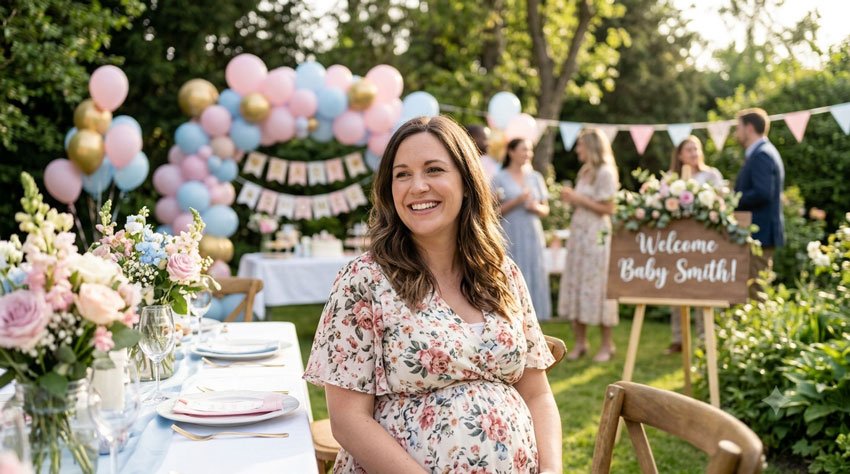
Copy the Prompt
Create a realistic outdoor baby shower portrait using the uploaded photo as the reference. Place the person in a beautiful garden decorated for a baby shower with pastel balloons, fresh flowers, soft ribbons and elegant tables in the background. Keep the person’s facial features and appearance natural and recognizable. Use soft afternoon sunlight filtering through the trees, realistic greenery and gentle background blur. The atmosphere should feel cheerful, peaceful and welcoming. Avoid excessive decorations and keep the person as the main focus of the photograph. Create a professional lifestyle photography look with a vertical 4:5 composition.
Best For
- Garden baby showers
- Outdoor celebrations
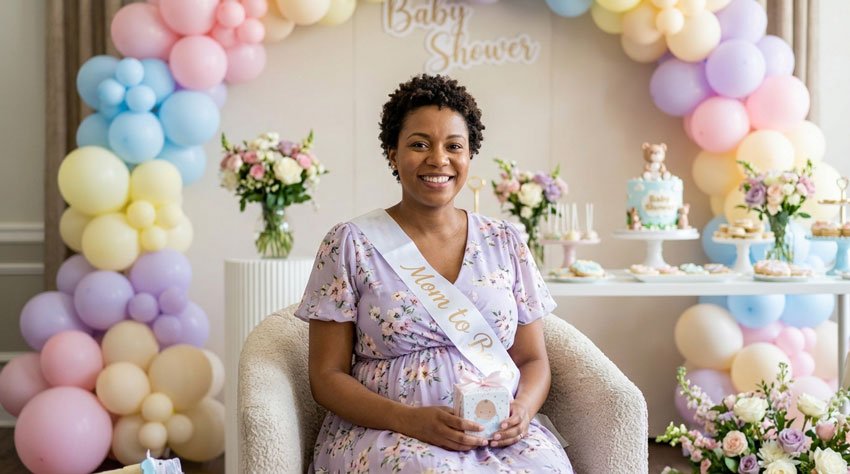
5. Cute Pastel Baby Shower Theme
For a playful and colorful photo, try a pastel-themed setup.
Copy the Prompt
Create a cute and realistic baby shower portrait using the uploaded photo as the reference. Keep the person’s face, hairstyle and natural appearance consistent with the original image. Create a cheerful pastel baby shower background with soft pink, blue, yellow, lavender and cream balloons, small flowers, baby-themed decorations and a simple dessert table. Keep the colors soft and tasteful rather than overly bright. Use natural lighting, realistic skin texture and a gentle depth of field. The final photograph should feel joyful, sweet and authentic. Use a vertical 4:5 composition.
Best For
- Cute baby shower posts
- Social media
- Digital invitations
- Baby shower albums
6. Maternity Baby Shower Portrait
If you’re creating a special portrait for the mom-to-be, this prompt focuses more attention on her while keeping the baby shower atmosphere in the background.
Copy the Prompt
Create a natural and elegant maternity baby shower portrait using the uploaded photo as the reference. Keep the person’s face, hairstyle, skin tone and overall appearance recognizable. Place her in a beautifully decorated baby shower setting with soft flowers, neutral balloons and subtle baby-themed decorations. Show a natural and comfortable pose that gently highlights the pregnancy without making the image look overly staged. Use soft window light, realistic skin texture, natural proportions and a warm neutral color palette. The final image should look like a professional maternity lifestyle photograph captured at a real baby shower. Use a vertical 4:5 composition.
Best For
- Mom-to-be portraits
- Maternity memories
- Baby shower announcements
7. Baby Shower Couple Photo
If both parents are celebrating together, this prompt can turn a simple couple photo into a baby shower memory.
Copy the Prompt
Create a realistic baby shower couple portrait using the uploaded photo as the reference. Keep both people recognizable and preserve their natural facial features, hairstyles and appearance. Place the couple together at an elegant baby shower celebration surrounded by soft pastel balloons, flowers, small baby-themed decorations and a beautifully decorated dessert table. Show them standing close together with relaxed smiles and natural affectionate body language. Use warm natural lighting, realistic skin texture and a softly blurred background. The photograph should feel like a genuine family celebration rather than an artificial studio scene. Use a vertical 4:5 composition.
Best For
- Parents-to-be
- Couple announcements
- Baby shower invitations
- Social media posts
8. Baby Shower Gift Table Photo
Sometimes the small details tell the story of the celebration. This idea focuses on the gift and decoration area.
Copy the Prompt
Create a realistic baby shower celebration scene using the uploaded photo as the reference. Place the person beside a beautifully decorated baby shower gift table filled with wrapped presents, soft flowers, pastel balloons and tasteful baby-themed decorations. Keep the person’s facial features and natural appearance recognizable. Use a soft neutral and pastel color palette with warm natural lighting. Include realistic details such as ribbons, small gift boxes and a simple floral arrangement without overcrowding the scene. Make it look like a professionally photographed moment from a real baby shower. Use a vertical portrait composition.
Best For
- Baby shower decoration ideas
- Gift table photos
- Event inspiration
9. Elegant Neutral Baby Shower Photo
If bright colors aren’t your style, a neutral setup can create a modern and sophisticated image.
Copy the Prompt
Transform the uploaded photo into a sophisticated neutral-themed baby shower portrait. Keep the person’s facial features, hairstyle, skin tone and natural appearance recognizable. Create a modern baby shower setting using cream, beige, white and soft taupe colors. Add subtle dried flowers, neutral balloons, elegant table decorations and a small baby-themed detail in the background. Use soft natural window light and realistic shadows. Keep the design minimal and uncluttered. The image should feel modern, warm and premium while still looking like a genuine photograph. Use a vertical 4:5 composition.
Best For
- Modern baby showers
- Minimalist themes
- Digital invitations
10. Baby Shower Memory Collage
If you want several moments in one image, try creating a simple baby shower memory collage.
Copy the Prompt
Create a tasteful baby shower memory collage using the uploaded photo as the main reference. Create four coordinated realistic photographs showing different moments from the celebration: the parents-to-be together, a close-up of the baby shower decorations, the gift table and a joyful family celebration. Keep the people consistent and recognizable across the photographs. Use a soft pastel and neutral color palette, natural lighting and realistic photography. Arrange the four images in a clean, elegant collage with balanced spacing and minimal decorative elements. The final result should feel like a collection of genuine baby shower memories rather than a heavily edited graphic.
Best For
- Baby shower memories
- Social media posts
- Digital albums
How to Make Gemini Baby Shower Photos Look More Natural
Sometimes an AI-generated image can look too polished or staged. Small changes to your prompt can make the scene feel much more like a real photograph.
1. Use a Clear Reference Photo
Choose a photo where the person’s face is clearly visible and isn’t heavily filtered or blurred. A good reference image gives the AI more useful visual information.
2. Describe the Setting
Instead of simply saying:
Create a baby shower photo.
Give Gemini more context:
Create a small outdoor baby shower in a garden with pastel balloons, fresh flowers, a dessert table and soft afternoon sunlight.
The extra details help define the scene.
3. Ask for Natural Expressions
Try adding:
Natural expression, relaxed posture and genuine smile.
This can help prevent the photograph from looking overly posed.
4. Keep the Background Secondary
If the decorations become too distracting, tell Gemini:
Keep the person as the main focus and make the baby shower decorations subtle in the background.
5. Make Small Changes
If the first image is mostly right, don’t rewrite everything. Ask for one adjustment at a time.
For example:
Keep the person and decorations unchanged. Make the lighting softer and more natural.
Baby Shower Details You Can Add to Your Prompts
You can customize almost every prompt by changing a few simple details.
Decoration Ideas
- Pastel balloons
- Fresh flowers
- Baby clothes
- Small teddy bears
- Gift boxes
- Baby-themed cake
- Floral backdrop
- Neutral balloon arch
Color Themes
- Soft pink and white
- Baby blue and cream
- Lavender and white
- Green and beige
- Neutral cream and taupe
- Pastel rainbow
Locations
- Living room
- Garden
- Backyard
- Restaurant
- Outdoor patio
- Baby nursery
- Elegant event hall
Changing just the colors, location or decorations can give the same basic prompt a completely different look.
How to Add Space for a Baby Shower Message
If you’re creating an invitation or social media graphic, you may want some empty space where you can add your own message later.
Try adding this instruction to your prompt:
Leave clean, uncluttered space on the upper-right side of the image for adding a baby shower message later. Do not generate any text in the image.
You can then add your own wording using an image editor.
Baby Shower Message Ideas
- Welcome Little One
- A Little Miracle Is On the Way
- Baby Shower Celebration
- Ready to Welcome Our Little One
- Love, Laughter & A Little Baby
Best Image Sizes for Baby Shower Photos
| Use | Suggested Ratio |
|---|---|
| Instagram Feed | 4:5 |
| Instagram Story | 9:16 |
| Pinterest Pin | 2:3 |
| Facebook Post | 1:1 or 4:5 |
| Website Featured Image | 16:9 |
| Baby Shower Invitation | 4:5 or 5:7 |
If you’re creating a Pinterest image, a vertical 2:3 format can give you enough space for the photo and a short title without making the design feel crowded.
What If Gemini Changes the Person’s Face?
AI image editing can sometimes change facial details when you make significant changes to the original photograph. If that happens, try using a clearer reference image and explicitly ask Gemini to preserve the person’s appearance.
For example:
Use the uploaded photograph as the identity reference. Keep the person’s facial features, hairstyle, skin tone and overall appearance consistent with the original image. Only change the background, lighting and decorations.
If you’re editing a photograph of someone else, make sure you have their permission to use the image.
Can You Use These Prompts for Other AI Image Tools?
Yes. The basic ideas in these prompts can be adapted to many image-generation and editing tools.
You may need to change a few words depending on how the particular AI model understands instructions. The most important elements usually remain the same:
- Who should appear in the image
- What they are doing
- Where the scene takes place
- What the person should wear
- The lighting
- The mood
- The photography style
- The desired image composition
Think of these prompts as starting points rather than rules. Experimenting with small changes is often the easiest way to find a result you like.
Final Thoughts
A baby shower is one of those occasions where small details become memories you’ll want to keep. You don’t have to create an elaborate scene to get a beautiful result. Sometimes a simple photo with soft lighting, a few flowers and natural expressions feels much more personal.
Try one of the prompts above, then change the colors, decorations or location to match your own baby shower theme. If you’re using a personal photograph, focus on preserving the people and use the AI mainly to improve the setting and atmosphere.
The goal isn’t to make the most dramatic AI image possible. It’s to create a photo that still feels like your celebration.
Frequently Asked Questions
Q1. Can I use my own photo with these Gemini baby shower prompts?
Yes. If the Gemini feature you’re using supports image uploads or editing, you can adapt these prompts to transform an existing photograph.
Q2. Can I change the baby shower colors?
Yes. You can replace the colors in any prompt with your preferred theme, such as pink, blue, lavender, green, cream or neutral beige.
Q3. Can Gemini create a baby shower invitation?
You can use Gemini to create the visual background and leave space for your invitation text. Adding the final text separately with an image editor can give you more control over the wording and layout.
Q4. Can I create a baby shower photo without uploading a real photo?
Yes. You can describe the people and scene you want to create. However, if you’re trying to create a personalized image of a real person, an appropriate reference image can make the result more useful.
Q5. What is the best image size for Instagram?
A vertical 4:5 composition works well for Instagram feed posts. For Stories, a 9:16 composition is more suitable.
Q6. Can I use these prompts for a baby shower invitation?
Yes. Ask the AI to create a clean composition with some empty space where you can add your event details later.
Q7. Can I use these prompts with other AI image generators?
Yes. The concepts can generally be adapted to other AI image-generation tools, although you may need to adjust the wording for the specific tool.
Last updated: October 2026