
Planning a pregnancy announcement and want a photo that feels a little more personal than a standard announcement card? AI image tools can give you plenty of creative ways to turn a simple couple or family photo into a beautiful pregnancy announcement.
What You’ll Find in This Guide
- 10 pregnancy announcement AI photo prompts
- Couple and family announcement ideas
- Simple and elegant pregnancy photo concepts
- Creative baby announcement ideas
- Tips for using your own photos as references
- Ideas for adding space for announcement text
- Recommended image sizes for Instagram, Pinterest and Facebook
How to Use These Pregnancy Announcement Prompts
If you’re transforming an existing photograph, start with a clear photo where the people you want to include are easy to see. Then upload the photo to an AI image tool that supports image editing or reference images and use one of the prompts below.
- Choose the pregnancy announcement style you like.
- Upload your reference photo if your AI tool supports image editing.
- Copy the prompt.
- Paste it into the image tool.
- Review the result.
- Make small changes to the background, clothing, lighting or composition if needed.
You can also create a completely new image from text if you don’t want to use an existing photograph.
For example, if you like the first result but want a different background, you could ask:
Keep the couple and all important details unchanged. Replace the background with a peaceful outdoor garden and use soft morning light.
AI image tools can interpret prompts differently, so you may need a couple of attempts to get the result you want.
10 AI Prompts for Pregnancy Announcement Photos
Below are ten different concepts, ranging from simple and natural announcements to more creative seasonal and family ideas.
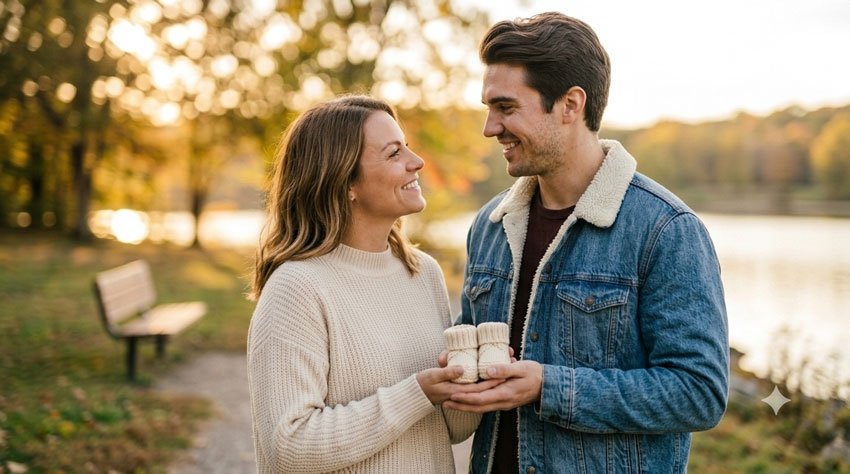
1. Simple Couple Pregnancy Announcement
If you prefer an elegant announcement without too many decorations, this is a good place to start.
Copy the Prompt
Create a beautiful, realistic pregnancy announcement portrait using the uploaded couple photo as the reference. Keep both people recognizable with natural facial features, realistic skin texture and authentic expressions. Place the couple together in a bright, peaceful outdoor setting with soft greenery in the background. Show them standing close together with a gentle, happy expression. Include a small pair of neutral-colored baby shoes held between them as a subtle pregnancy announcement detail. Use soft natural daylight, warm tones and realistic lifestyle photography. Keep the overall composition elegant, simple and emotional without excessive decorations. Use a vertical 4:5 composition.
Best For
- Instagram announcements
- Facebook posts
- Digital announcement cards
- Simple pregnancy reveals
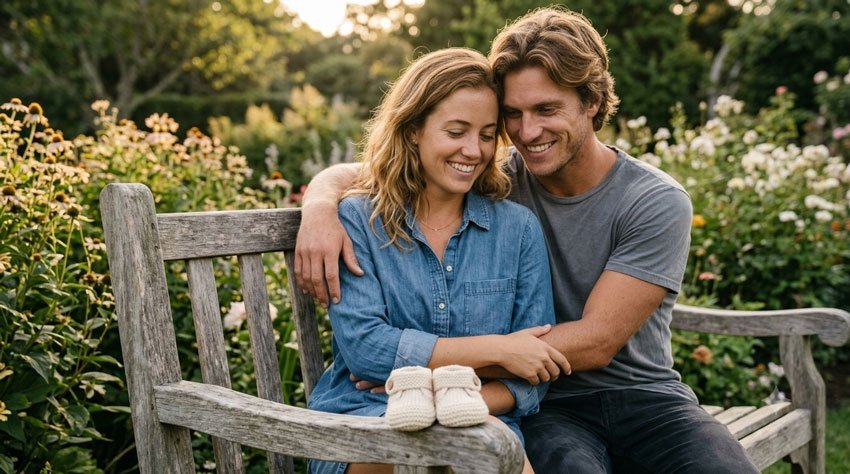
2. Baby Shoes Pregnancy Announcement
Baby shoes are one of the simplest ways to communicate the news without putting a lot of text into the image.
Copy the Prompt
Create a realistic and heartwarming pregnancy announcement photograph. Show a happy couple sitting together on a wooden bench in a peaceful outdoor garden. Place a tiny pair of baby shoes in the foreground between them as the main announcement detail. Keep the couple’s appearance natural and realistic, with genuine smiles and relaxed body language. Use soft golden-hour lighting, a shallow depth of field and a warm neutral color palette. The baby shoes should be clearly visible while the couple remains the emotional focus of the photograph. Create a high-quality lifestyle photography look with a vertical 4:5 composition.
Best For
- Pregnancy announcement cards
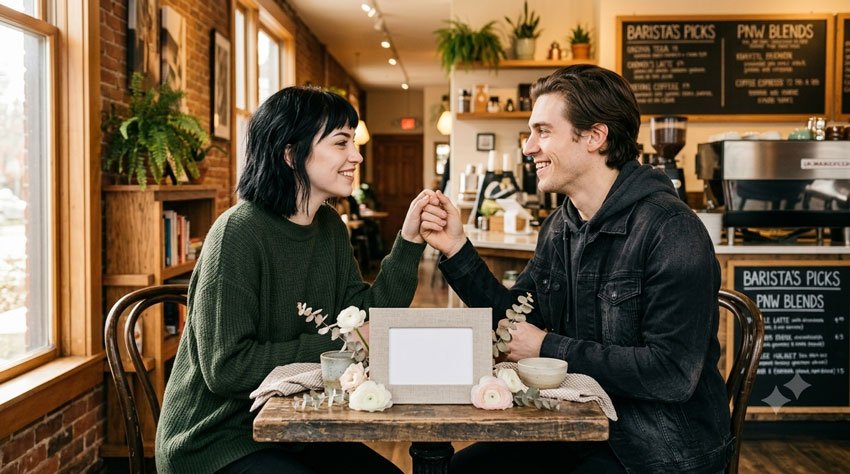
3. Ultrasound Photo Announcement
An ultrasound image can make the announcement feel especially personal. If you are using a real ultrasound photo, add it yourself afterward rather than asking an AI tool to recreate medical details.
Copy the Prompt
Create an elegant pregnancy announcement photograph featuring a happy couple sitting together at a cozy table. Place a small neutral-colored frame or blank rectangular photo holder on the table where a real ultrasound photograph can be added later. Surround the frame with a few simple flowers and soft neutral decorations. Keep the couple natural and recognizable with relaxed expressions. Use warm window light, soft shadows and realistic lifestyle photography. Leave clean negative space around the photo holder for adding the real ultrasound image later. Keep the composition tasteful, minimal and emotional. Use a vertical 4:5 composition.
Tip: If you want to include your actual ultrasound image, adding it afterward in an image editor gives you more control over the final result.
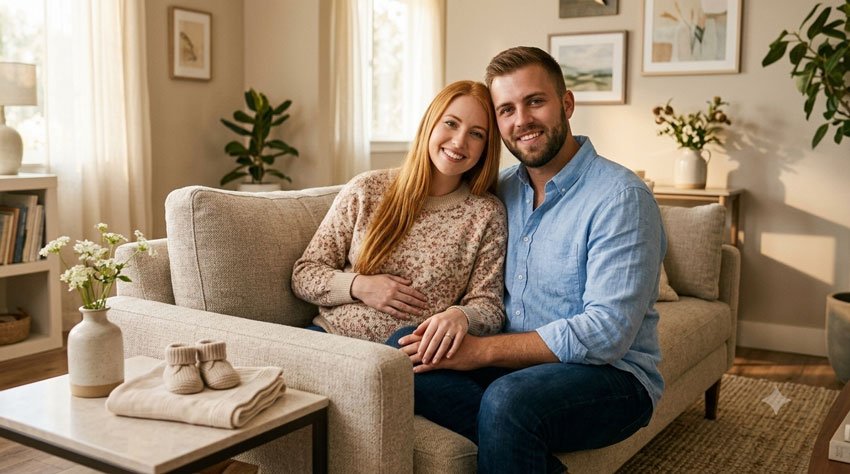
4. Cozy Home Pregnancy Announcement
A home setting can make the announcement feel personal and less like a staged photoshoot.
Copy the Prompt
Transform the uploaded couple photo into a warm and realistic pregnancy announcement scene inside a cozy modern home. Show the couple sitting together on a comfortable sofa with a small table nearby containing tiny baby shoes, a small neutral baby blanket and a simple vase of flowers. Keep both people recognizable and preserve their natural facial characteristics. Use soft morning window light, warm neutral colors and realistic home details. Show genuine happiness through relaxed expressions and natural body language. The final image should feel like an authentic family moment rather than a heavily staged photoshoot. Use a vertical 4:5 composition.
Best For
- Personal pregnancy announcements
- Family announcements
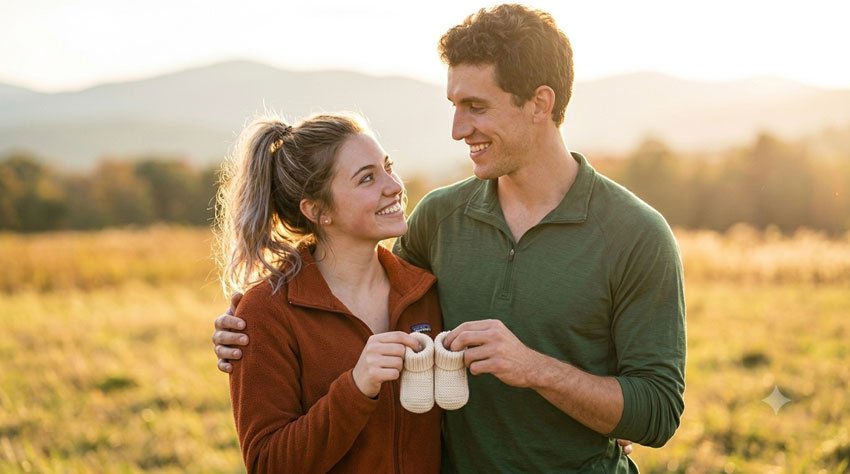
5. Sunset Pregnancy Announcement
If you want something romantic and cinematic, a sunset setting can create a beautiful announcement without needing many props.
Copy the Prompt
Create a romantic pregnancy announcement portrait using the uploaded couple photo as the reference. Place the couple outdoors during golden hour in a peaceful open field with warm sunlight behind them. Show the couple standing close together while holding a pair of tiny baby shoes between them. Keep their facial features natural and recognizable. Use relaxed body language and genuine happiness rather than exaggerated poses. Add soft golden backlighting, subtle lens flare, realistic skin texture and a naturally blurred background. Create a cinematic but believable lifestyle photograph with warm, timeless colors. Use a vertical 4:5 composition.
Best For
- Romantic announcements
- Digital cards
6. Pregnancy Announcement With a Letter Board
A letter board gives you a clear place for your announcement message while keeping the photograph visually simple.
Copy the Prompt
Create a realistic pregnancy announcement lifestyle photograph featuring a happy couple standing together in a bright, cozy room. Place a simple neutral-colored letter board or wooden sign beside them with enough blank space for an announcement message to be added later. Add a pair of tiny baby shoes near the sign. Keep the couple’s facial features recognizable and natural. Use soft window lighting, neutral colors, realistic textures and relaxed body language. Leave enough clean space around the letter board for adding text later. The overall style should be warm, modern and elegant rather than overly decorated. Use a vertical 4:5 composition.
Tip: Consider adding the final announcement wording yourself after generating the image. This gives you better control over spelling, fonts and placement.
7. Seasonal Pregnancy Announcement
One of the easiest ways to personalize an announcement is to match it to the season when you’re sharing the news.
Copy the Prompt
Create a beautiful seasonal pregnancy announcement portrait using the uploaded couple photo as the reference. Place the couple together in a natural outdoor setting that clearly reflects the season, with subtle seasonal details rather than excessive decorations. Include a small pair of baby shoes as the announcement element. Keep both people recognizable with realistic facial features and natural expressions. Use authentic seasonal clothing, soft natural lighting and realistic photography. The scene should feel like a genuine couple portrait with a subtle pregnancy announcement detail. Avoid artificial-looking effects and excessive props. Use a vertical 4:5 composition.
Seasonal Ideas
- Spring: flowering garden and pastel colors
- Summer: sunny outdoor setting
- Fall: autumn leaves and warm sweaters
- Winter: cozy clothing and soft seasonal decorations
8. Pregnancy Announcement With Older Sibling
If you’re already parents, including your child can make the announcement feel like a family moment.
Copy the Prompt
Create a warm and realistic family pregnancy announcement photograph using the uploaded family photo as the reference. Show the parents together with their young child in a beautiful outdoor garden. Include a small neutral sign or simple baby shoes to subtly communicate that another baby is joining the family. Keep each family member recognizable and preserve natural facial features. Show genuine smiles and relaxed family interaction rather than perfectly posed expressions. Use soft natural daylight, realistic greenery and a warm lifestyle photography style. Keep the scene authentic, joyful and family-focused. Use a vertical 4:5 composition.
Best For
- Family announcements
- Grandparent announcements
9. Minimalist Pregnancy Announcement
Sometimes less really is more. This concept is ideal if you like clean photography and minimal decorations.
Copy the Prompt
Create a minimalist and elegant pregnancy announcement portrait using the uploaded couple photo as the reference. Place the couple against a clean, softly lit neutral background. Keep their clothing simple and elegant with natural colors. Include one subtle pregnancy announcement detail, such as a tiny pair of baby shoes held between them. Keep both people recognizable with realistic skin texture and natural facial features. Use soft studio-style lighting, gentle shadows and a sophisticated editorial photography look. Avoid unnecessary decorations, excessive props and dramatic effects. Leave some clean negative space around the couple for adding announcement text later. Use a vertical 4:5 composition.
Best For
- Modern announcements
- Digital cards
- Minimalist social media posts
10. “Coming Soon” Baby Announcement
This final idea focuses on the announcement message itself while leaving room for you to add your own wording.
Copy the Prompt
Create a beautiful and realistic pregnancy announcement photograph featuring a happy couple outdoors in a peaceful natural setting. Place a small elegant sign beside them with a completely blank surface where the words “Coming Soon” can be added later. Include a pair of tiny baby shoes near the sign as a subtle visual clue. Keep the couple recognizable with natural facial features and realistic skin texture. Use soft golden-hour lighting, gentle background blur and warm neutral colors. The photograph should feel joyful, intimate and authentic rather than overly staged. Leave sufficient negative space around the sign for adding announcement text. Use a vertical 4:5 composition.
Best For
- Social media announcements
- Pregnancy announcement cards
How to Make Your Pregnancy Announcement Feel Personal
The easiest way to make an AI-generated announcement feel less generic is to add details that actually mean something to you.
Use a Meaningful Location
Instead of a generic garden, try describing a location that has personal significance:
- The place where you first met
- Your favorite park
- A beach you visit together
- Your backyard
- Your favorite coffee shop
- A location from your engagement or wedding
Add Your Own Colors
You can tell the AI tool to use a specific color palette, such as:
- Soft beige and cream
- Dusty blue
- Sage green
- Warm terracotta
- Soft pastel colors
Include a Personal Prop
Instead of using only baby shoes, consider adding something meaningful, such as a baby blanket, a small wooden sign, a favorite book or a family keepsake.
The more relevant the details are to your own story, the less generic the final announcement is likely to feel.
How to Leave Space for Pregnancy Announcement Text
If you plan to add words such as “Baby Coming Soon” or “Our Little One Is On The Way”, ask the AI tool to leave part of the image uncluttered.
For example:
Leave clean negative space on the upper-right side of the image for adding a pregnancy announcement message later. Keep the background simple and uncluttered in that area.
Adding your final text afterward can give you more control over the font, spelling, color and placement.
Pregnancy Announcement Message Ideas
- Our Little Adventure Begins
- Baby Coming Soon
- Our Greatest Adventure Is About to Begin
- And Then There Were Three
- Our Little One Is On The Way
- A Tiny New Chapter Begins
Tips for Getting Better AI Pregnancy Announcement Photos
Use a Clear Reference Photo
If you’re transforming an existing couple or family photograph, use a reasonably clear image where the people are easy to see.
Keep the Request Specific
Instead of asking for a “beautiful pregnancy photo,” describe the location, clothing, lighting, pose and announcement detail you want.
Ask for Natural Expressions
Words such as natural expressions, relaxed body language, genuine smiles and candid lifestyle photography can help communicate the type of photograph you’re looking for.
Don’t Change Too Many Things at Once
If the generated image is already close to what you want, make one change at a time. For example:
Keep the couple and composition unchanged. Replace the flowers with soft white flowers and make the lighting slightly warmer.
This is often easier than asking the AI to completely recreate the image.
Check Important Details
Before sharing the finished announcement, look closely at faces, hands, clothing, props and any text. AI-generated images can occasionally contain small visual inconsistencies.
What About Ultrasound Images?
If you want your announcement to include an actual ultrasound image, it is generally better to add the real image yourself after creating the background or composition.
Instead of asking an AI model to invent an ultrasound image, you can ask it to create a clean area where the real photograph can be placed:
Create a tasteful pregnancy announcement scene with a blank photo frame on the table. Leave the frame completely empty so I can add my own ultrasound photograph afterward.
This approach also gives you more control over the final announcement.
Best Image Sizes for Pregnancy Announcement Photos
| Use | Suggested Ratio |
|---|---|
| Instagram Feed | 4:5 |
| Instagram Story | 9:16 |
| Pinterest Pin | 2:3 |
| Facebook Post | 1:1 or 4:5 |
| Website Featured Image | 16:9 |
| Digital Announcement Card | 4:5 or 5:7 |
For Pinterest, a 2:3 vertical image gives you plenty of room for the photograph and any announcement text you want to add.
Can You Use These Prompts With Other AI Image Tools?
Yes. These prompts are written as general image-generation and image-editing instructions, so many of the concepts can be adapted to other AI image tools.
However, different models may interpret the same prompt differently. You may need to change the wording or simplify the instructions depending on the tool you’re using.
The most important parts of the prompt are usually the subject, setting, action, lighting, mood and composition.
Final Thoughts
A pregnancy announcement doesn’t have to be complicated to be memorable. Sometimes a simple couple portrait with a pair of tiny baby shoes says everything you want to share.
These AI prompts give you a starting point, but don’t be afraid to change them. Add your favorite location, use your own colors, include a meaningful prop or leave space for a message that sounds like you.
If you’re using your own photograph, spend a little time refining the result rather than expecting the first generation to be perfect. Small changes to the background, lighting or composition can make a big difference.
Most importantly, make the announcement feel like your story. The AI tool can help create the picture, but the personal details are what make the final image meaningful.
Frequently Asked Questions
Q1. Can I use my own photo for a pregnancy announcement?
Yes. If the AI image tool supports image editing or reference images, you can use an appropriate photograph of yourself or your family and ask the tool to create a new setting or composition.
Q2. Can I create a pregnancy announcement without uploading a photo?
Yes. You can create a new fictional announcement image entirely from a text description. If you want the image to represent a real couple or family, using an appropriate reference image can make the result more personal.
Q3. Can I add my ultrasound photo to an AI-generated announcement?
Yes. One practical approach is to create the background with AI and then add your real ultrasound photograph afterward using an image editor.
Q4. What should I include in a pregnancy announcement prompt?
Describe the people, location, clothing, mood, lighting, announcement prop and composition. If you’re using a reference image, also explain which characteristics you want to preserve.
Q5. What is a good image size for Instagram?
A vertical 4:5 composition works well for Instagram feed posts. If you’re creating an Instagram Story, use a 9:16 composition.
Q6. Can I use these pregnancy announcement prompts with Gemini?
Yes. The prompts can be adapted for Gemini’s available image-generation or image-editing features. The exact capabilities and interface may vary depending on the Gemini product, account and region.
Q7. Can I use these prompts for a baby announcement after birth?
Absolutely. You can replace pregnancy-related details with newborn elements such as a baby blanket, name card, crib, hospital bracelet or other personal details appropriate for your announcement.
Last updated: September 24, 2026