Friendsgiving is all about good food, great friends, cozy decorations, and memories worth keeping. Whether you’re planning a small dinner at home or a big Thanksgiving-style gathering, AI image prompts can help you create beautiful Friendsgiving photos with a warm, festive atmosphere.
With these AI prompts for Friendsgiving photos, you can create group portraits, dinner-table scenes, candid moments, matching-friend outfits, and creative holiday pictures using an AI image generator such as Gemini. You can customize each prompt with your friends’ photos, preferred outfits, decorations, and favorite colors.
For the most personal results, upload reference photos when supported and ask the AI to preserve each person’s recognizable facial features. Results can vary, so review the generated image before sharing it.
What You’ll Find in These Friendsgiving AI Prompts
- Cozy Friendsgiving group portraits
- Beautiful dinner-table photos
- Matching outfit ideas for friends
- Candid cooking and laughter scenes
- Aesthetic autumn portraits
- Creative Friendsgiving photo concepts for social media
Each prompt is ready to copy and customize. Replace details such as the number of friends, outfits, setting, and color palette to match your gathering.
How to Use These AI Prompts for Friendsgiving Photos
- Open your preferred AI image generator.
- Choose a prompt from the list below and copy it.
- If you want the image to resemble your actual friend group, upload suitable reference photos when the tool supports image uploads.
- Customize the number of people, clothing, decorations, and background.
- Generate the image and check faces, hands, food, and other details.
- Try a revised prompt if you want a different composition or more natural-looking result.
Tip: If you upload reference photos, use images you have permission to use. For a group portrait, clearly describe each person’s position and outfit to help the image generator organize the scene.
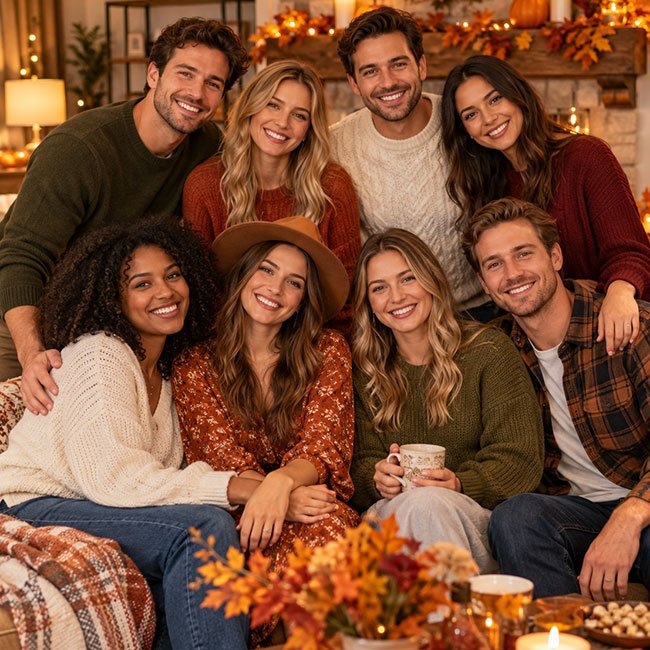
1. Cozy Friendsgiving Group Photo
Copy This AI Prompt
Create a realistic Friendsgiving group portrait featuring [number of friends] close friends gathered together in a cozy living room decorated for an autumn celebration. Everyone is smiling naturally and sitting or standing close together, wearing stylish fall outfits in warm shades of rust, cream, brown, olive green, and burgundy. Add soft golden lighting, autumn leaves, pumpkins, cozy blankets, and tasteful seasonal decorations. Capture genuine friendship, relaxed expressions, natural skin texture, realistic proportions, and professional lifestyle photography. Keep the composition balanced and make every person clearly visible. Portrait orientation, high detail, warm editorial color grading.
Best for: Group portraits, Friendsgiving invitations, photo albums, and social media posts.
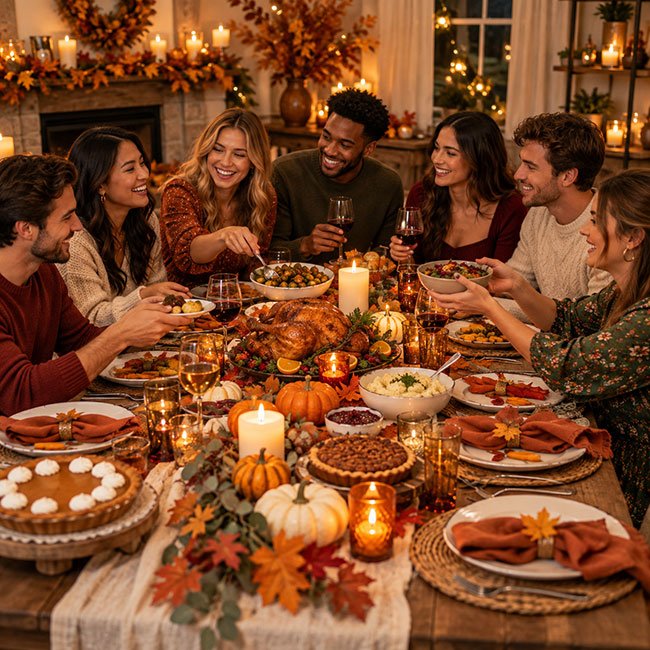
2. Friendsgiving Dinner Table Photo
Copy This AI Prompt
Create a photorealistic Friendsgiving dinner scene with [number of friends] friends gathered around a beautifully decorated dining table. Include roasted vegetables, pies, bread, colorful side dishes, ceramic plates, linen napkins, candles, and small pumpkins. The friends are chatting, laughing, and passing food naturally. Use warm candlelight, soft evening lighting, a rustic wooden table, and an elegant autumn color palette of burnt orange, cream, deep red, and golden brown. Make the food look believable and appetizing, with realistic hands, natural expressions, and an intimate dinner-party atmosphere. Professional food and lifestyle photography, vertical composition.
Best for: Friendsgiving dinner inspiration, party invitations, and holiday lifestyle content.
3. Matching Fall Outfits Friendsgiving Photo
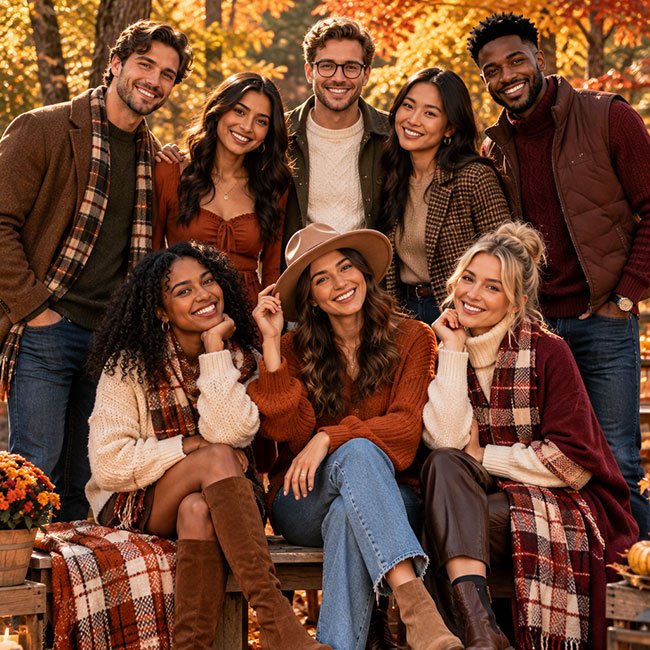
Copy This AI Prompt
Create a stylish, realistic Friendsgiving fashion photo featuring [number of friends] friends posing together outdoors among autumn trees. Dress everyone in coordinated fall outfits using shades of camel, cream, chocolate brown, rust, and burgundy. Include knit sweaters, long coats, scarves, boots, denim, and tasteful accessories, with each person wearing a distinct outfit. Capture relaxed poses, genuine smiles, and the comfortable energy of close friends. Use soft natural afternoon light, colorful fall foliage, realistic fabric textures, natural skin tones, and editorial fashion photography. Full-body group composition, high detail, vertical format.
Best for: Outfit inspiration, fall fashion posts, and coordinated friend-group portraits.
4. Candid Friendsgiving Cooking Photo
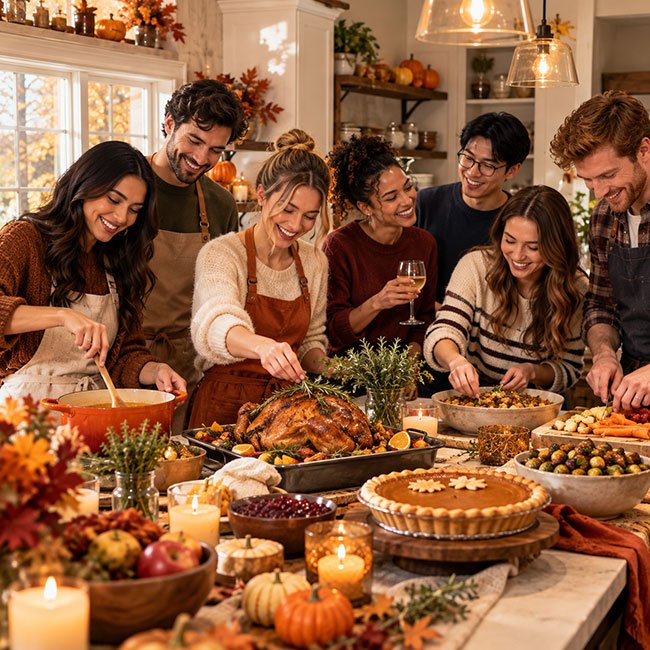
Copy This AI Prompt
Create a candid lifestyle photograph of [number of friends] preparing a Friendsgiving meal together in a warm, welcoming kitchen. One friend is stirring a pot, another is arranging food on a serving plate, and the others are laughing and helping with the preparations. Include autumn ingredients, fresh herbs, a pie on the counter, wooden cutting boards, cozy sweaters, and subtle seasonal decorations. Capture natural interactions, joyful expressions, realistic cooking details, and soft window light. The scene should feel spontaneous, personal, and full of friendship rather than staged. Photorealistic editorial photography, natural colors, vertical composition.
Best for: Behind-the-scenes content, cooking-themed posts, and relaxed holiday memories.
5. Aesthetic Friendsgiving Picnic Photo
Copy This AI Prompt
Create a photorealistic autumn Friendsgiving picnic featuring [number of friends] close friends sitting together on a large cream-colored picnic blanket in a park surrounded by orange, red, and golden leaves. Include a wicker basket, pumpkin-shaped treats, pastries, warm drinks, a small arrangement of flowers, and cozy fall accessories. Everyone is smiling and enjoying a relaxed conversation. Use gentle afternoon sunlight, natural poses, soft shadows, rich autumn colors, and a dreamy but realistic lifestyle photography style. Keep the scene uncluttered and make the friends the main focus. Vertical portrait, high detail.
Best for: Outdoor celebrations, autumn photo ideas, and Pinterest-style inspiration.
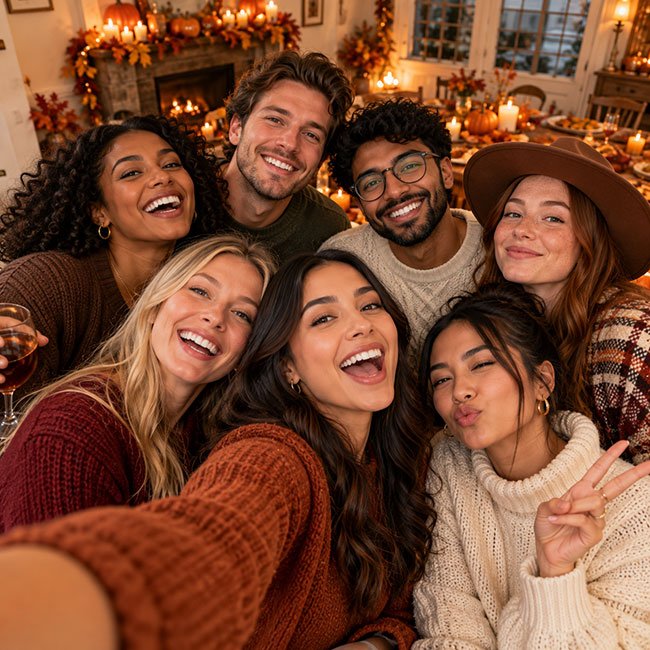
6. Friendsgiving Selfie Moment
Copy This AI Prompt
Create a realistic selfie-style Friendsgiving photograph of [number of friends] close friends squeezing together for a group picture at a festive autumn gathering. Everyone has a different natural expression, such as laughing, smiling, or making a playful face. Include cozy fall outfits, warm indoor lighting, blurred pumpkins and autumn decorations in the background, and the spontaneous feeling of a real phone selfie. Use believable facial features, realistic hands, natural skin texture, and a slightly imperfect candid composition. Avoid overly smooth skin, exaggerated expressions, and artificial-looking faces. Portrait orientation, authentic social media photography.
Best for: Casual group memories, story posts, and playful friend-group content.
7. Elegant Friendsgiving Portrait
Copy This AI Prompt
Create an elegant editorial portrait of [number of friends] friends celebrating Friendsgiving in a beautifully styled dining room. Dress them in sophisticated autumn outfits with tailored jackets, satin details, knit dresses, and coordinated jewel tones such as burgundy, forest green, navy, and warm beige. Include a tasteful dinner table, delicate candlelight, understated flowers, and subtle fall decorations. Use soft directional lighting, natural expressions, refined poses, realistic skin texture, and a luxurious magazine-photography aesthetic. Keep the scene warm and welcoming rather than overly formal. High detail, balanced group composition, vertical portrait.
Best for: Formal dinners, polished portraits, and stylish holiday invitations.
8. Friendsgiving Dessert and Coffee Photo
Copy This AI Prompt
Create a cozy, photorealistic Friendsgiving dessert scene featuring [number of friends] friends gathered around a small table after dinner. Include slices of pumpkin pie, apple pie, cookies, mugs of coffee or hot chocolate, whipped cream, cinnamon sticks, and warm candlelight. The friends are chatting and smiling while enjoying dessert in a comfortable home decorated with subtle autumn details. Use a shallow depth of field, realistic food textures, soft golden lighting, warm neutral colors, and intimate lifestyle photography. Make the scene feel inviting, relaxed, and genuine. Vertical composition, high detail.
Best for: Dessert inspiration, cozy holiday posts, and food-focused photo collections.
9. Outdoor Friendsgiving Golden-Hour Photo
Copy This AI Prompt
Create a photorealistic golden-hour Friendsgiving portrait of [number of friends] close friends standing together in a park filled with colorful autumn trees. Dress everyone in stylish, coordinated fall clothing with sweaters, scarves, boots, and light coats. The friends are laughing naturally and looking toward the camera, with a few candid interactions between them. Use warm sunlight filtering through the leaves, soft backlighting, gentle shadows, realistic skin tones, detailed clothing textures, and a cinematic autumn color palette. Preserve individual appearances when reference photos are provided. Natural lifestyle photography, balanced composition, vertical portrait.
Best for: Outdoor group portraits, autumn memories, and warm-toned social media photos.
10. Friendsgiving Scrapbook or Memory Collage
Copy This AI Prompt
Create a stylish Friendsgiving memory collage inspired by a handmade autumn scrapbook. Include [number of friends] friends, a festive dinner table, pumpkin pie, cozy fall outfits, colorful leaves, candles, handwritten-style decorative elements, and small snapshots of friends laughing together. Arrange the images in a balanced collage with cream paper textures, subtle tape details, warm brown accents, rust-orange highlights, and soft burgundy touches. Keep the layout organized and visually appealing, with realistic photographs and enough clean space for a title to be added later. Avoid distorted faces, clutter, and illegible generated text. Vertical social media design, high detail.
Best for: Friendsgiving recap posts, digital scrapbooks, and holiday memory boards.
Tips for Getting Better Results From Friendsgiving AI Prompts
1. Describe the Number of People
Specify how many friends should appear in the image. Group scenes can become inconsistent when the prompt leaves the number of people unclear.
2. Choose a Color Palette
Autumn shades such as rust, mustard, cream, olive green, brown, and burgundy can help your images feel coordinated. You can also choose a modern neutral palette if that better suits your style.
3. Use Reference Photos When Appropriate
If you want the image to resemble your real friend group, provide clear reference photos when the image generator supports them. Ask the tool to preserve each person’s appearance, hairstyle, and distinctive features. Results may still vary.
4. Make the Setting Specific
Instead of saying only “Friendsgiving background,” describe a dining room with candles, a kitchen with autumn decorations, or a park filled with fall leaves. Specific details give the image a clearer direction.
5. Ask for Natural Details
Include phrases such as “natural expressions,” “realistic skin texture,” “believable hands,” and “candid lifestyle photography.” These instructions may help, but always inspect the result for visual errors.
6. Generate a Separate Image for Each Concept
Rather than using one prompt for every photo, create distinct scenes with different outfits, lighting, camera angles, and activities. This makes your Friendsgiving photo collection more varied and personal.
How to Personalize Your Friendsgiving Photos
Use the prompts as a starting point rather than a fixed recipe. You can make each image more meaningful by adding details that reflect your actual celebration.
- For a small gathering: Ask for an intimate table setting with three or four friends.
- For a big group: Request two rows of people and specify that every face should remain visible.
- For a casual celebration: Use relaxed clothing, homemade food, and a lived-in kitchen or living room.
- For a dressy dinner: Choose tailored outfits, elegant tableware, and candlelight.
- For a social media post: Specify a vertical composition and leave some clean space for a caption.
- For a personalized image: Add favorite colors, a meaningful location, or a shared activity.
If your generator struggles with a large group, try creating a smaller group first or generating individual portraits and arranging them in a separate editing tool.
Best Image Sizes for Friendsgiving Photos
Choose the aspect ratio based on where you plan to use the image. These are useful starting points; check the requirements of your chosen platform before publishing.
| Use | Suggested Aspect Ratio | Example Dimensions |
|---|---|---|
| Instagram portrait post | 4:5 | 1080 × 1350 px |
| Instagram Story or Reel cover | 9:16 | 1080 × 1920 px |
| Pinterest pin | 2:3 | 1000 × 1500 px |
| Blog feature image | 16:9 | 1200 × 675 px |
| Printable portrait | 4:5 or another print-friendly ratio | Use a high-resolution output |
If the AI tool offers only certain dimensions, generate the closest suitable ratio and crop carefully. Avoid cutting off faces or important details when resizing group photos.
Common Problems With AI-Generated Friendsgiving Photos
Faces Look Different From the Reference Photos
Use clear, well-lit reference photos and describe each person separately. For important portraits, generate a few variations and compare the results. Identity consistency is not guaranteed.
Too Many or Too Few Friends Appear
State the exact number of people and specify their positions, such as “four friends sitting side by side.” If the result is still inaccurate, simplify the composition.
Hands or Food Look Unrealistic
Ask for natural hand positions and realistic food textures. Try a simpler scene with fewer objects, then generate another version if needed.
The Image Looks Too Artificial
Reduce overly dramatic effects and request natural lighting, realistic proportions, authentic expressions, and subtle color grading. You can also ask for a candid lifestyle photograph instead of a highly stylized illustration.
Text in the Image Is Misspelled
AI image generators may struggle with exact lettering. Generate the image without text, then add “Friendsgiving,” a date, or a short message using a graphic design or photo-editing tool.
Frequently Asked Questions
Q1. What are the best AI prompts for Friendsgiving photos?
The best prompts describe a clear scene, the number of people, outfits, lighting, background, and desired photography style. Cozy group portraits, dinner-table scenes, autumn picnics, and candid cooking moments are useful starting points.
Q2. Can I use Gemini to create Friendsgiving photos?
You can try these prompts in Gemini or another image-generation tool that supports your intended workflow. Available image features and results can vary by tool, account, and current product settings.
Q3. Can AI make a Friendsgiving photo using pictures of my friends?
If your chosen tool supports reference-image uploads, you can provide suitable photos and describe how you want the people arranged. Ask for permission before using friends’ photos, especially if you plan to publish the results. The generated faces may not match the references perfectly.
Q4. How can I make AI Friendsgiving photos look realistic?
Describe natural expressions, realistic skin texture, believable proportions, soft lighting, and a specific setting. Avoid adding too many competing details, and review each result for visual errors.
Q5. Can I create Friendsgiving photos for Instagram or Pinterest?
Yes. Choose a vertical aspect ratio for portrait posts and pins, or a 9:16 format for full-screen Stories and similar content. Check each platform’s current specifications before uploading.
Q6. Can I add Friendsgiving text to an AI-generated photo?
Yes. For more accurate lettering, generate the image first and add the title or greeting afterward with an image editor. This usually gives you better control over spelling, font, and placement.
Final Thoughts
Friendsgiving is a celebration of friendship, shared meals, and the little moments that make time together special. These AI prompts for Friendsgiving photos give you several ways to create cozy group portraits, stylish fall pictures, dinner scenes, and creative holiday collages.
Start with the prompt that best matches your gathering, then personalize the outfits, setting, and colors. With a little experimentation and careful review, you can create images that reflect the warm, fun atmosphere you want to remember.
Last Updated : 16 October 2026