
Below are Gemini AI prompts for first snow photos, each designed around a different setting and mood. You can copy a prompt, customize the details, and use it as a starting point for your own winter image.
The first snowfall of the season has a special kind of magic. Snow-covered trees, soft winter light, cozy outfits, and tiny snowflakes in the air can turn an ordinary photo into a beautiful winter memory. If you want to capture that feeling without waiting for the perfect snowy day, Gemini AI can help you create a personalized first snow photo.
Whether you’re planning a romantic couple portrait, a cute solo winter picture, a cozy outdoor scene, or a photo to share on Instagram, the right prompt can help you create an image that matches your vision.
What You’ll Find in This Guide
- Copy-and-paste Gemini AI prompts for first snow photos.
- Ideas for romantic, cozy, aesthetic, and playful winter pictures.
- Tips for using your own photo as a reference.
- Suggestions for natural-looking faces, clothing, and snowfall.
- Image sizing tips for social media and winter posts.
How to Use These Gemini AI Photo Prompts
For a new image, copy the prompt into Gemini and adjust the description to suit your preferred appearance, outfit, location, and mood. If you want to transform an existing picture, upload a photo you have permission to use and ask Gemini to use it as a visual reference.
- Choose a prompt that matches the style you want.
- Copy the prompt into Gemini.
- Replace details such as clothing colors, hairstyle, location, and pose.
- If using a reference photo, clearly state which features should remain consistent.
- Review the result and refine the prompt if something looks unnatural.
Helpful tip: AI image tools may not preserve every facial detail, hand position, or clothing feature perfectly. If likeness matters, ask for a natural result and check the generated image carefully before sharing it.
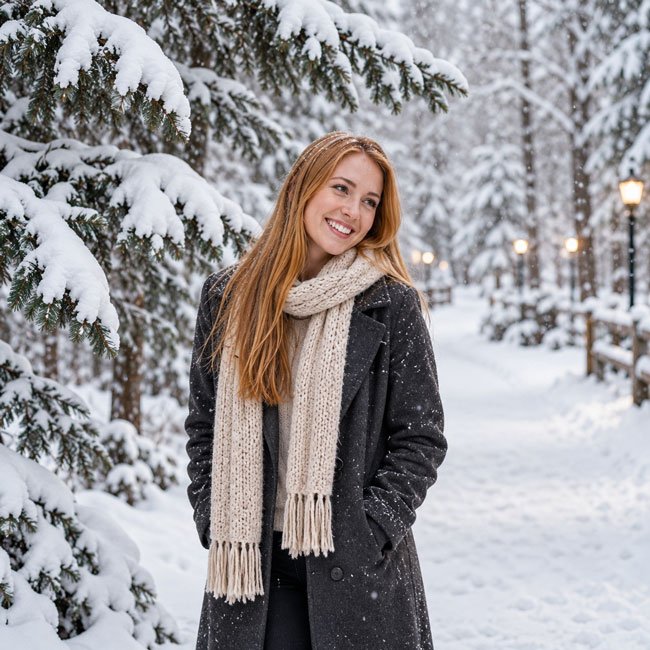
1. A Cozy First Snow Portrait
This prompt is ideal for a peaceful winter portrait with gentle snowfall, a warm outfit, and a soft, natural atmosphere. It works well for a profile picture or a seasonal social media post.
Copy-and-Paste Gemini AI Prompt
Create a realistic winter portrait of me experiencing the first snowfall of the season. I am standing outdoors in a peaceful snow-covered park, wearing a warm cream-colored wool coat, a soft knitted scarf, and winter gloves. Small snowflakes are falling gently around me, with snow-covered trees in the background. Capture a relaxed expression, natural skin texture, soft overcast winter lighting, realistic fabric details, and a calm, cozy mood. Use a natural photography style, balanced composition, and subtle background blur. If a reference photo is provided, use it to guide my appearance without unnecessarily changing my facial features. No text, no watermark, no exaggerated beauty filters.
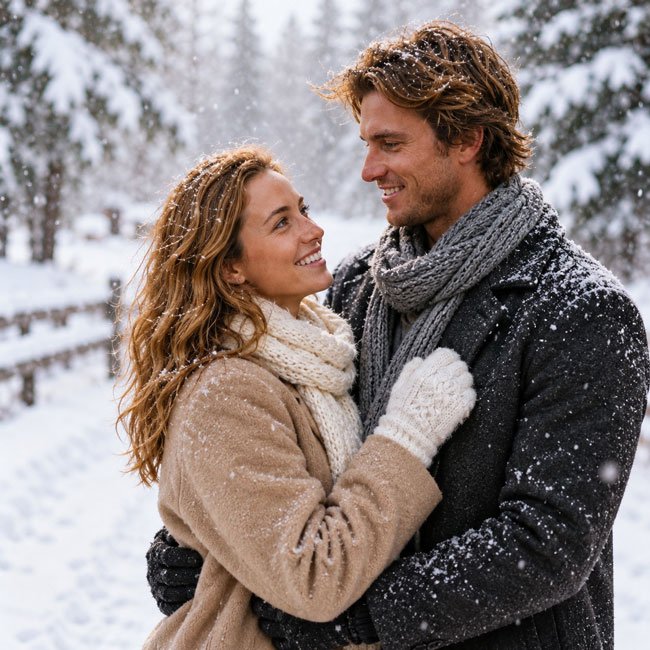
2. Romantic First Snow Couple Photo
The first snow can create a lovely setting for a couple’s photo. This prompt focuses on a natural, affectionate moment rather than a stiff, overly posed portrait.
Copy-and-Paste Gemini AI Prompt
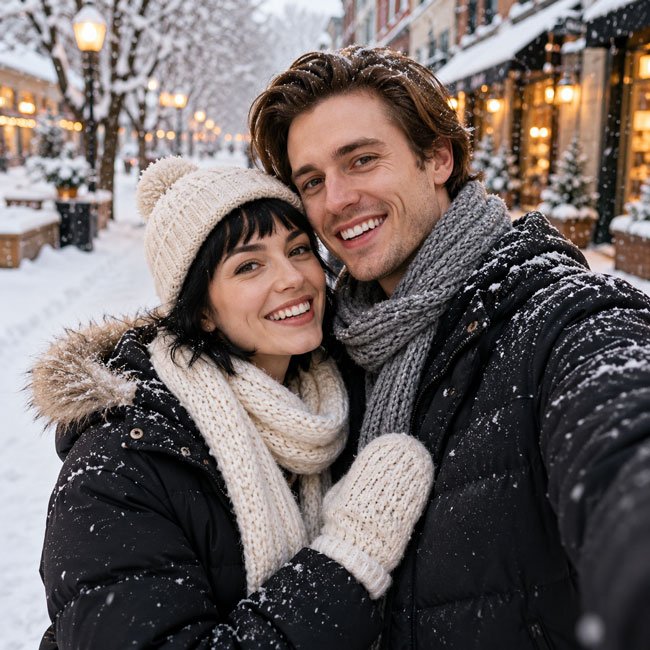
Create a realistic romantic couple portrait during the first snowfall of winter. Two adults are standing close together on a quiet snowy path, wearing coordinated winter coats, knitted scarves, and gloves. They look at each other with warm, genuine smiles while delicate snowflakes fall around them. Snow-covered trees and a softly blurred winter background create a peaceful atmosphere. Use natural body language, realistic facial expressions, detailed winter clothing, soft daylight, and a candid lifestyle photography style. If reference photos are provided, use them to guide each person’s appearance and keep their features as consistent as possible. No text, no watermark, no artificial-looking poses.
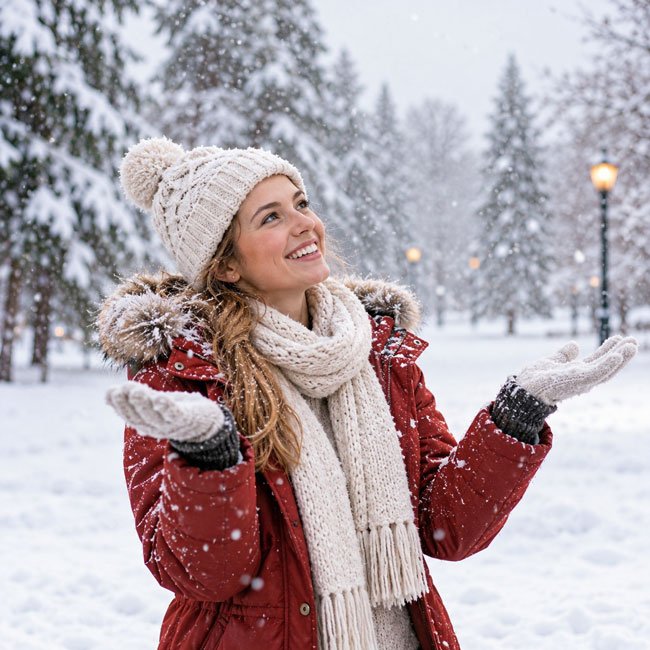
3. First Snow Selfie With a Cute Winter Outfit
If you prefer a casual, youthful look, try a winter selfie-inspired portrait. This style pairs a cute outfit with a snowy background for an image that feels spontaneous and personal.
Copy-and-Paste Gemini AI Prompt
Create a natural, selfie-inspired winter portrait of me enjoying the first snow. I am wearing a stylish puffer jacket, a knitted beanie, and a cozy scarf, with a few snowflakes resting on the fabric. The background shows a softly snow-covered street with warm lights in the distance. Use a friendly expression, relaxed pose, realistic skin texture, natural winter daylight, and a candid social media photography style. Keep the composition close and personal without making the face look artificially smooth. If a reference photo is provided, use it to guide my appearance. No text, no watermark, no distorted hands or facial features.
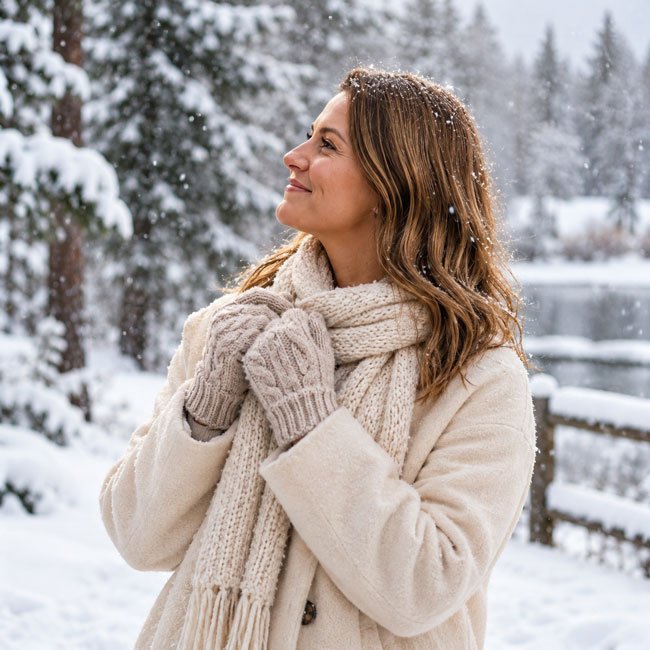
4. Aesthetic First Snow Photo Under Snowy Trees
For a more artistic image, use a quiet woodland setting. Snow-covered branches and muted winter colors help create a peaceful, minimalist photograph.
Copy-and-Paste Gemini AI Prompt
Create an aesthetic winter photograph of me standing beneath snow-covered trees during the first snowfall. I am wearing a long charcoal-gray coat, a neutral knitted scarf, and simple winter boots. Delicate snowflakes drift through the air while fresh snow rests on the branches around me. Compose the image with plenty of natural background detail, muted winter colors, soft diffused light, and a peaceful editorial photography mood. Keep the pose relaxed and believable, with realistic clothing texture and natural proportions. If a reference image is provided, use it to guide my appearance. No text, no watermark, no fantasy effects.
5. Playful First Snow Photo Catching Snowflakes
Want a photo that captures the excitement of the first snowfall? This prompt creates a cheerful scene with an expressive pose and snowflakes floating in the air.
Copy-and-Paste Gemini AI Prompt
Create a joyful, realistic photo of me celebrating the first snowfall of winter. I am standing in an open snowy park, wearing a colorful winter jacket, a knitted hat, and gloves. I gently raise my hands to catch falling snowflakes, smiling naturally as fresh snow settles on the ground. Capture a lively but believable moment with soft winter daylight, realistic snowflakes, natural body proportions, and a slightly candid composition. Include snow-covered trees in the distance without distracting from the subject. If a reference photo is provided, use it to guide my appearance. No text, no watermark, no exaggerated facial expressions.
6. First Snow Photo With a Warm Coffee
A warm drink and a cold winter morning make a naturally cozy combination. This prompt is a good choice for a relaxed lifestyle image with a café-inspired atmosphere.
Copy-and-Paste Gemini AI Prompt
Create a realistic winter lifestyle portrait of me enjoying a warm takeaway coffee during the first snowfall. I am standing outside a charming café, wearing a camel-colored coat, a soft scarf, and knitted gloves while holding a paper coffee cup with both hands. Snowflakes fall gently, and warm café lights glow through the windows behind me. Use natural candid photography, realistic steam from the drink if visible, detailed fabric textures, soft winter lighting, and a cozy seasonal mood. Keep the cup and hands anatomically natural. If a reference photo is provided, use it to guide my appearance. No readable brand logos, no text overlay, no watermark.
7. Golden-Hour First Snow Portrait
Snow does not always have to look cool and blue. Soft late-afternoon light can give a winter portrait a warmer, more cinematic feeling.
Copy-and-Paste Gemini AI Prompt
Create a realistic first-snow portrait of me outdoors during late-afternoon winter light. I am wearing a deep burgundy coat, a cream scarf, and simple leather gloves. Fresh snow covers the ground and nearby trees, while gentle snowflakes catch the soft golden light. Use balanced exposure, natural skin tones, subtle highlights, and a warm yet believable winter atmosphere. Keep the background softly blurred and the subject in clear focus, like a professional outdoor portrait. If a reference photo is provided, use it to guide my appearance. Avoid artificial glowing effects, oversaturated colors, text, and watermarks.
8. First Snow Photo With a Cute Dog
If your pet loves the outdoors, a first-snow photo can become a sweet seasonal memory. This prompt keeps the scene playful while making the person and pet the focus.
Copy-and-Paste Gemini AI Prompt
Create a realistic winter lifestyle photo of me enjoying the first snowfall with my dog in a snow-covered park. I am wearing a warm padded jacket, a knitted beanie, and winter boots. My dog stands beside me in a relaxed, happy pose, with its natural fur texture and recognizable features preserved if a pet reference photo is provided. Light snow falls around us, and fresh snow covers the path and nearby trees. Use natural outdoor lighting, believable interaction, realistic anatomy, and a candid photography style. Keep the dog comfortable and do not depict it in unsafe weather conditions. No text, no watermark, no extra limbs.
9. Minimalist First Snow Street Portrait
For a modern, understated look, try a quiet city street after the first snow. Clean composition, simple clothing, and subtle colors make this style suitable for profile pictures and winter-themed posts.
Copy-and-Paste Gemini AI Prompt
Create a minimalist, realistic street portrait of me on a quiet city street just after the first snowfall. I am wearing a tailored black wool coat, a simple neutral scarf, and understated winter shoes. A light layer of snow covers the pavement and rooftops, with soft natural light and subtle urban details in the background. Use a clean composition, neutral colors, realistic textures, natural posture, and contemporary editorial photography. Keep the environment believable and avoid excessive snow or dramatic weather effects. If a reference photo is provided, use it to guide my appearance. No text, no watermark, no visible brand logos.
10. First Snow Photo With a Vintage Film Look
A subtle film-inspired finish can give a first-snow photo a nostalgic feeling. This prompt focuses on natural colors and gentle texture rather than heavy filters.
Copy-and-Paste Gemini AI Prompt
Create a realistic first-snow portrait of me with a subtle vintage film photography look. I am standing beside an old-fashioned street or a quiet winter garden, wearing a classic wool coat, knitted scarf, and leather gloves. Light snow falls gently, and the background features softly blurred winter details. Use natural facial features, slightly muted colors, gentle film grain, soft contrast, and an authentic analog photography atmosphere. Keep the image detailed and believable rather than heavily filtered. If a reference photo is provided, use it to guide my appearance. No text, no watermark, no artificial scratches, and no exaggerated retro effects.
Tips for Getting More Natural First Snow Photos
A detailed prompt can help guide the result, but small changes often make the biggest difference. Try these practical adjustments when your generated image does not look quite right.
1. Describe the Snowfall Clearly
Specify whether you want light, gentle snowfall, large visible flakes, or snow already resting on the ground. If you want a peaceful portrait, gentle snowfall is often easier to combine with a clear view of the subject.
2. Choose Clothing That Fits the Weather
Use details such as a wool coat, puffer jacket, knitted scarf, gloves, and winter boots. Naming the colors and materials helps make the outfit more consistent.
3. Ask for Natural Facial Details
If you are working from a personal photo, ask the tool to use the uploaded image as a reference for your appearance. You can also request natural skin texture, realistic proportions, and minimal retouching. Results may still vary, so inspect the face carefully.
4. Keep the Background Simple
Snow-covered trees, a quiet street, or a softly blurred park can create a strong winter atmosphere without competing with the subject.
5. Refine One Detail at a Time
If the first result is close to what you want, ask for a specific adjustment instead of rewriting everything. For example, request lighter snowfall, a different scarf color, a more natural hand position, or a wider composition.
How to Add Text to Your First Snow Photo
If you want to turn your image into a winter greeting, Instagram post, or seasonal blog graphic, leave some uncluttered space for your message. AI image tools may not render text accurately, so it is often easier to add the final wording afterward using an image editor.
Here are a few short captions you can add to your finished photo:
- “Hello, first snow!”
- “A little winter magic.”
- “The season’s first snowfall.”
- “Snowflakes and cozy moments.”
- “My favorite kind of winter day.”
- “Let it snow, let it glow.”
- “Making memories in the snow.”
For a clean result, use a readable font, strong contrast, and enough space between the text and the subject. Make sure the message does not cover important details such as the face or hands.
Best Image Sizes for First Snow Photos
The best dimensions depend on where you plan to publish your image. These are useful starting points; check the latest specifications of your chosen platform before publishing.
- Instagram portrait post: 1080 × 1350 pixels, 4:5 ratio.
- Instagram Story or Reel cover: 1080 × 1920 pixels, 9:16 ratio.
- Pinterest pin: 1000 × 1500 pixels, 2:3 ratio.
- Website blog image: 1200 pixels wide, with the height chosen to suit the composition.
- Square profile or social post: 1080 × 1080 pixels, 1:1 ratio.
For a website article, use an image that is large enough to look clear but not unnecessarily heavy. Compress the file before uploading, use a descriptive filename, and write accurate alt text that explains what the image shows. Avoid adding keywords that do not match the actual picture.
Common Problems and How to Fix Them
1. The Face Looks Different From My Reference Photo
Try a clearer reference image with good lighting and a visible face. Ask for the facial features and hairstyle to remain as consistent as possible, while keeping the lighting and scene natural. Exact likeness is not guaranteed.
2. The Snow Looks Artificial
Replace dramatic wording with a more specific description, such as “light, scattered snowflakes falling naturally in the foreground and background.” You can also ask for realistic snow on the ground and branches rather than a thick layer covering everything.
3. The Hands Look Unnatural
Use a simpler pose, such as holding a cup with both hands or placing the hands inside coat pockets. If the result still looks wrong, generate another version or ask for the hand position to be corrected.
4. The Image Looks Too Much Like an Illustration
Specify realistic photography, natural skin texture, authentic fabric detail, believable lighting, and realistic proportions. Avoid mixing too many styles, such as cinematic fantasy, cartoon, and documentary photography, in the same prompt.
5. The Outfit Changes Between Images
Repeat the clothing description in each prompt, including the coat color, scarf, and accessories. If the tool supports continued editing, use the same reference image and request only the changes you need.
How to Customize These Prompts
You do not have to use every prompt exactly as written. Personalizing a few details can make the final image feel more relevant to your style.
- For a romantic look: Add warm expressions, coordinated coats, and a quiet snowy setting.
- For an aesthetic look: Use neutral colors, simple composition, and soft winter light.
- For a cheerful look: Add a playful pose, colorful accessories, and gentle snowfall.
- For a fashion portrait: Describe the coat, boots, scarf, pose, and background more precisely.
- For a family photo: Specify the number of people, their positions, age-appropriate clothing, and how they interact.
- For a pet photo: Describe the animal’s appearance and keep its pose and surroundings natural and safe.
A useful prompt formula is:
Subject + winter outfit + snowy setting + pose or activity + lighting + photography style + details to preserve + things to avoid.
For example, you could start with “a person in a cream wool coat,” add “walking through a snow-covered park,” and finish with “soft winter daylight, natural skin texture, realistic photography, no text or watermark.” Adjust the details until the image matches your idea.
Frequently Asked Questions
Q1. Can I use these prompts in Gemini?
Yes. These prompts are written as starting points for Gemini’s image-generation or image-editing features where available. The exact tools and results can vary by account, region, and product version.
Q2. Can Gemini create a first snow photo from my own picture?
If image upload and editing are available in your version of Gemini, you can upload a photo and describe the winter scene you want. Ask it to use your photo as a reference and preserve your appearance as closely as possible. Always review the result, because the generated image may change some details.
Q3. How can I make my first snow photo look realistic?
Use specific details about the lighting, clothing, snowfall, background, and pose. Ask for natural skin texture and realistic proportions. Avoid combining too many visual styles or adding unnecessary effects.
Q4. Which prompt is best for a romantic first snow picture?
Prompt 2 is designed for a romantic couple portrait. You can personalize it by changing the coat colors, location, and pose, or by asking for a candid moment instead of a formal portrait.
Q5. Can I create first snow photos for Instagram or Pinterest?
Yes. Choose the aspect ratio based on the platform and leave enough room for cropping. You can also create a version with empty space for a caption or seasonal greeting.
Q6. Why does the generated image change my face or hands?
AI-generated images may not preserve every detail accurately. Use a clear reference photo, request a simple pose, and refine the image with specific instructions. Check the final result before publishing it.
Q7. Can I use these AI-generated photos on my website?
That depends on the image tool’s current terms, the rights associated with any uploaded reference material, and the intended use. Review the applicable terms before commercial publication, and make sure you have permission to use any photos of other people.
Final Thoughts
The first snowfall offers plenty of inspiration for beautiful winter pictures, whether you prefer a cozy portrait, a romantic couple photo, a playful moment with your dog, or a minimalist snowy street scene.
These Gemini AI prompts give you different starting points to explore. Begin with the scene closest to your idea, personalize the clothing and setting, and refine the result one detail at a time. The most successful image is the one that feels right for the memory or mood you want to capture.
If you create a version you love, consider pairing it with a short winter caption and sharing it as a seasonal post or personal keepsake.
Last updated: October 2026