In this guide, you’ll find Gemini AI prompts for Santa Claus parade photos. Each prompt is ready to copy and customize for your preferred Christmas style.
The Santa Claus parade is one of the most exciting parts of the Christmas season. From colorful floats and sparkling lights to Santa waving from his sleigh, every moment offers a chance to capture a beautiful holiday memory.
If you want to create more eye-catching Christmas parade photos, Gemini AI can help you edit your pictures, enhance the festive atmosphere, or create new parade-inspired scenes. With the right prompt, you can experiment with glowing Christmas lights, snowy streets, decorated floats, and magical Santa Claus moments.
Quick tip: If you’re editing a real parade photograph, upload the original image first. Ask Gemini to improve the lighting, colors, and festive atmosphere while preserving the people and main details in the original photo.
What You’ll Find in This Guide
- Festive Santa Claus parade AI prompts
- Christmas parade photo editing ideas
- Prompts for Santa, floats, families, and snowy streets
- Tips for creating realistic Christmas lights and colors
- Ideas for Christmas cards and social media posts
- Simple ways to customize your results
How to Use Gemini AI Prompts for Santa Claus Parade Photos
Using these prompts is simple. Open Gemini, upload your parade photo if you want to edit an existing image, and paste the prompt that matches your idea.
If you’re creating a new scene instead, describe the parade setting, decorations, lighting, people, and overall mood as clearly as possible.
For more natural-looking results, include details such as:
- Realistic Christmas parade photography
- Warm festive lights
- Natural colors and realistic shadows
- Detailed Christmas floats
- A lively winter crowd
- Sharp subjects with a softly blurred background
Remember that the final result depends on your original photo and the image-editing capabilities available in Gemini.
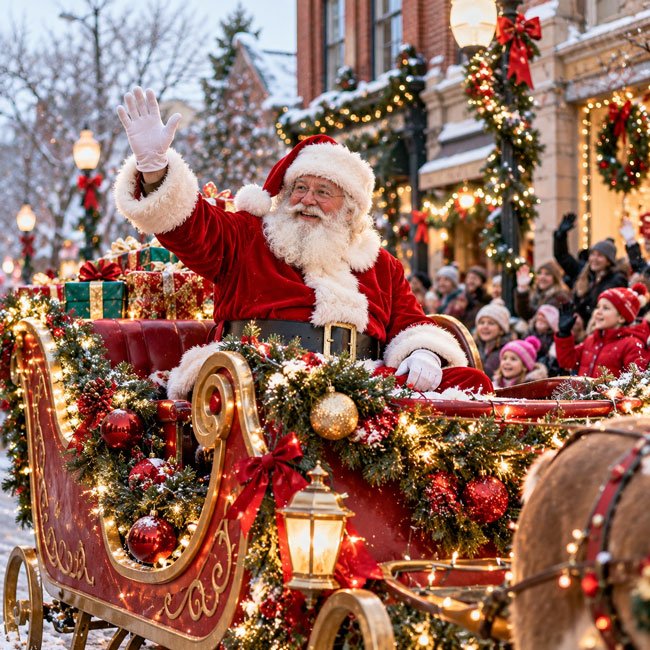
1. Classic Santa Claus Parade Photo
Gemini AI Prompt
Create a realistic, high-quality Christmas parade photograph featuring Santa Claus waving cheerfully from a beautifully decorated red and gold sleigh float. Add evergreen garlands, glowing Christmas lights, colorful ornaments, and a happy crowd watching from the sidewalk. Use natural winter daylight with warm festive highlights, realistic facial expressions, detailed decorations, and authentic street photography. Keep the scene joyful and believable, with Santa as the main focus and no artificial-looking effects.
Best For
- Classic Christmas parade pictures
- Holiday greeting cards
- Christmas blog posts
- Festive social media images
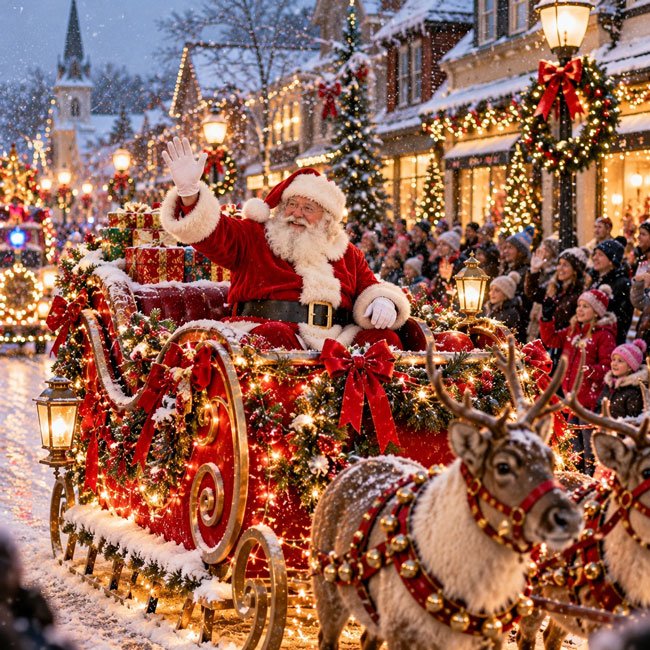
2. Santa Claus Parade at Night With Glowing Lights
Gemini AI Prompt
Enhance this Christmas parade scene into a beautiful nighttime parade photograph. Feature Santa Claus on a brightly illuminated Christmas float surrounded by warm white lights, red and green decorations, glowing stars, and festive garlands. Create realistic reflections from the lights on the street, natural low-light photography, balanced exposure, and a softly blurred crowd in the background. Preserve the main subjects if editing an uploaded photograph, and avoid excessive glow, oversaturated colors, or unrealistic lighting.
Best For
- Nighttime parade photography
- Christmas light inspiration
- Festive Pinterest images
- Holiday wallpapers
3. Snowy Santa Claus Parade
Gemini AI Prompt
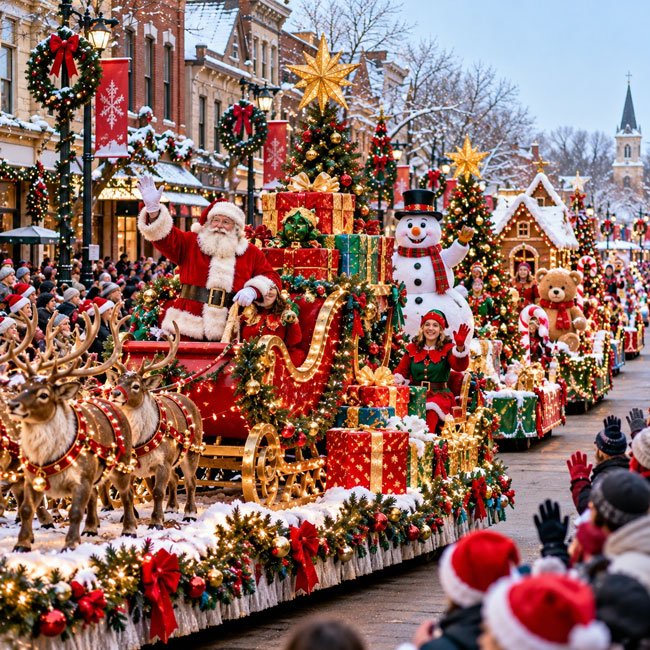
Create a realistic winter Christmas parade scene on a charming town street covered with a light layer of snow. Show Santa Claus waving from a festive sleigh float decorated with pine branches, red ribbons, and glowing lights. Add gentle falling snowflakes, warmly dressed spectators, decorated shop windows, and a cozy holiday atmosphere. Use natural winter lighting, realistic snow textures, detailed clothing, and balanced colors. Keep the snowfall subtle enough that Santa and the parade remain clearly visible.
Best For
- Winter Christmas photos
- Snowy holiday backgrounds
- Christmas greeting cards
- Seasonal website images
4. Colorful Christmas Parade Floats
Gemini AI Prompt
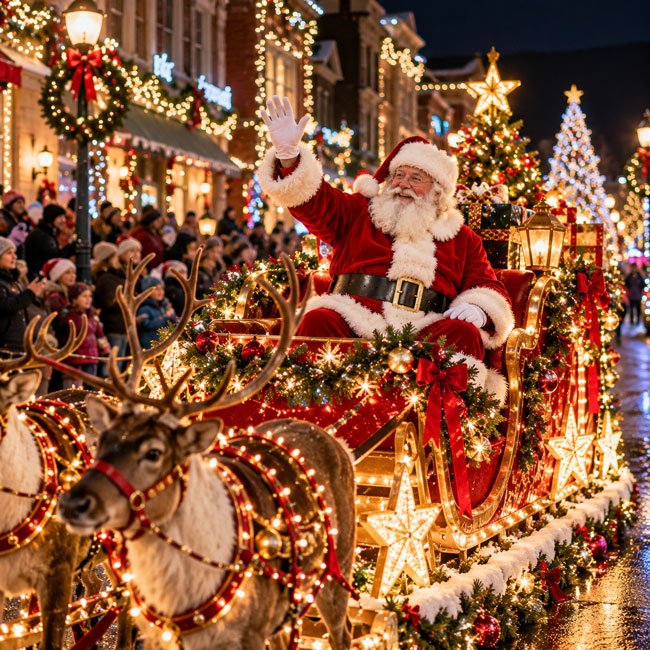
Create a lively, realistic Santa Claus parade photograph featuring several imaginative Christmas floats moving down a town street. Include a traditional Santa sleigh, oversized wrapped presents, sparkling stars, evergreen trees, colorful ornaments, and festive red, green, and gold decorations. Show families watching from the sidewalks and add realistic parade details such as float platforms, decorative railings, and holiday banners. Use crisp photography, natural colors, detailed textures, and balanced daylight. Make the floats look creative but physically believable.
Best For
- Christmas parade highlights
- Festive blog illustrations
- Christmas event posters
- Holiday photo collections
5. Santa Claus Parade With Children Watching
Gemini AI Prompt
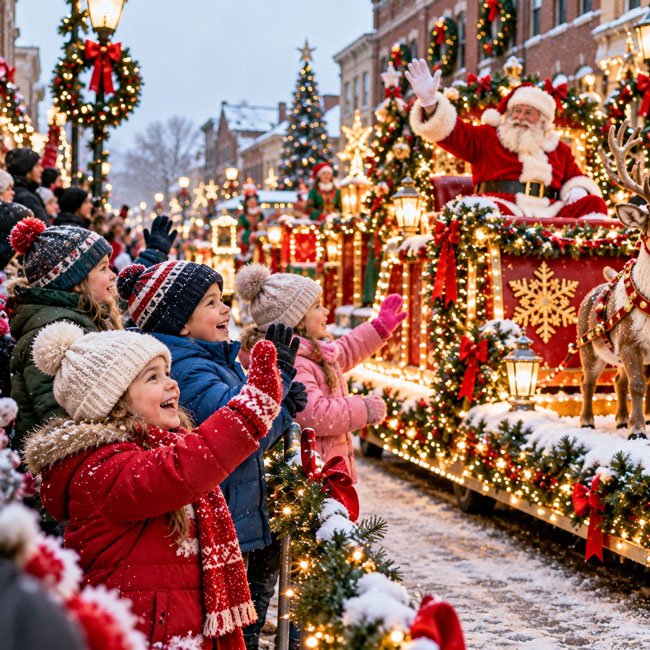
Create a warm, realistic Christmas parade photograph showing a small group of children wearing colorful winter coats, scarves, and knitted hats as they wave excitedly toward Santa Claus. In the background, show Santa on a decorated Christmas float with glowing lights and evergreen garlands. Capture genuine expressions of excitement, natural body proportions, realistic winter clothing, and a lively parade atmosphere. Use soft winter daylight and a natural documentary photography style. If editing a real photograph, preserve the original children’s identities and expressions.
Best For
- Family Christmas memories
- Christmas event photography
- Holiday storytelling images
- Warm and cheerful seasonal posts
6. Santa Claus Parade With a Vintage Christmas Feel
Gemini AI Prompt
Transform this Santa Claus parade photograph into a nostalgic, vintage-inspired Christmas scene while preserving the original event details. Use warm classic colors, gentle film grain, slightly softened highlights, traditional Christmas decorations, and a timeless documentary photography look. Feature a classic red Santa sleigh, evergreen garlands, simple string lights, and spectators dressed in winter coats. Keep faces, clothing, and parade elements realistic. Avoid excessive fading, heavy scratches, or effects that make the photograph difficult to see.
Best For
- Nostalgic Christmas posts
- Vintage holiday cards
- Classic Christmas photo edits
- Traditional festive designs
7. Close-Up Portrait of Santa Claus During the Parade
Gemini AI Prompt
Create a realistic close-up Christmas parade photograph of Santa Claus smiling warmly and waving to the crowd from his decorated sleigh. Show a detailed traditional red velvet suit with white fur trim, a classic Santa hat, a natural white beard, and realistic fabric textures. Add softly blurred Christmas lights, evergreen garlands, and subtle parade decorations in the background. Use natural portrait lighting, realistic skin texture, balanced colors, and professional event photography. Avoid exaggerated facial features, artificial skin smoothing, or cartoon-like details.
Best For
- Santa Claus portraits
- Christmas greeting cards
- Holiday banners
- Festive social media graphics
8. Santa Claus Parade With Beautiful Christmas Decorations
Gemini AI Prompt
Enhance this Santa Claus parade photograph by bringing out the beauty of the Christmas decorations. Highlight realistic evergreen garlands, shiny red and gold ornaments, decorative ribbons, warm white lights, and festive details on the float. Keep the parade street and spectators natural, with balanced contrast and clear details. Use realistic photography, accurate colors, and subtle lighting improvements. Do not add excessive decorations, duplicate objects, or artificial-looking sparkles. Preserve the original composition wherever possible.
Best For
- Christmas decoration inspiration
- Festive photo edits
- Holiday blog content
- Christmas-themed social posts
9. Wide-Angle View of a Busy Santa Claus Parade
Gemini AI Prompt
Create a realistic wide-angle photograph of a lively Santa Claus parade traveling through a festive town center. Show a decorated Santa float, additional Christmas floats in the distance, families lining the sidewalks, decorated streetlights, and storefronts with Christmas displays. Use a natural street-level perspective, realistic crowd spacing, detailed buildings, and balanced winter daylight. Make the image feel like a photograph taken by an experienced event photographer. Avoid duplicated people, distorted faces, unrealistic float proportions, or excessive visual effects.
Best For
- Full parade scenes
- Christmas event coverage
- Website feature images
- Holiday photo albums
10. Magical Christmas Parade Photo for a Holiday Card
Gemini AI Prompt
Create a beautiful, realistic Christmas parade photograph suitable for a holiday greeting card. Feature Santa Claus waving from a classic red sleigh float decorated with evergreen branches, gold ornaments, red ribbons, and warm glowing lights. Include a charming town street, cheerful spectators, and subtle winter details. Use natural photographic textures, warm festive colors, gentle background blur, and balanced lighting. Leave some clean space near the top or side for adding a Christmas greeting later. Keep the scene realistic rather than fantasy-like, and do not generate text inside the image.
Best For
- Christmas greeting cards
- Holiday invitations
- Christmas social media posts
- Seasonal website banners
Tips for Making Santa Claus Parade Photos Look Realistic
AI edits can sometimes make parade photographs look overly bright or artificial. A few specific instructions can help you keep the final image more natural.
- Keep the original scene: If you’re editing an existing photo, ask Gemini to preserve the parade route, people, floats, and composition.
- Use realistic lighting: Ask for natural winter daylight or believable nighttime illumination.
- Avoid excessive glow: Christmas lights should look bright without hiding important details.
- Keep colors balanced: Red, green, gold, and white work well without making every element oversaturated.
- Check faces and hands: AI may distort small details, particularly in crowded scenes.
- Keep decorations believable: Realistic garlands, ornaments, and lights usually look better than excessive fantasy effects.
How to Customize These Santa Claus Parade Prompts
You can adjust any prompt to match your own parade photograph or preferred Christmas style.
1. Change the Weather
Try gentle snowfall, a clear winter afternoon, an overcast sky, or a crisp evening atmosphere. If you’re editing a real event photo, make sure the new weather fits the original scene.
2. Change the Lighting
Use phrases such as warm Christmas lights, soft winter daylight, balanced nighttime exposure, or natural golden-hour lighting.
3. Change the Photography Style
Try realistic event photography, documentary-style photography, professional street photography, or a subtle vintage film look.
4. Add Space for Text
If you’re making a Christmas card or social media graphic, ask Gemini to leave a clean area for your greeting. Add the final wording afterward in your preferred image editor to avoid spelling mistakes.
Best Image Sizes for Santa Claus Parade Photos
The right image size depends on where you plan to publish or share the photograph.
- Instagram portrait: 1080 × 1350 px
- Instagram Story or Reel cover: 1080 × 1920 px
- Website or blog image: 1200 × 1500 px for portrait images
- Facebook post: 1200 × 1500 px for portrait images
- Wide website banner: 1200 × 675 px
- Christmas greeting card: Use a high-resolution image suited to your chosen card dimensions
For a parade scene with lots of people and floats, a landscape image can work particularly well. For a close-up of Santa, a portrait layout may be more effective.
What If Gemini Changes the Original Parade Photo?
If Gemini changes faces, removes important details, or alters the float too much, make the instructions more specific.
Try adding this sentence to your prompt:
Preserve the original people, faces, clothing, parade floats, signs, and camera composition. Only improve the lighting, image clarity, and overall festive atmosphere. Do not add or remove important objects.
If the result still looks too different, ask Gemini to make a smaller edit, such as adjusting brightness or enhancing the Christmas lights rather than recreating the entire scene.
Can You Use These Prompts With Other AI Image Tools?
Yes. These prompts can also be adapted for other AI image generators and photo-editing tools.
If you’re editing a real parade photograph, use a tool that supports image uploads and editing. Include clear instructions about which elements should remain unchanged.
If you’re creating a new parade scene from text alone, describe the setting, Santa’s float, decorations, crowd, weather, lighting, and camera perspective.
Final Thoughts
A Santa Claus parade is full of festive details that make wonderful Christmas photographs. With Gemini AI, you can experiment with glowing lights, snowy streets, colorful floats, classic Santa portraits, and nostalgic holiday effects.
Start with one of these 10 prompts and adjust the details to match the look you’re after. If you’re editing a real photograph, make small changes first so the original moment still feels authentic.
Whether you’re preparing a Christmas greeting card, creating a festive blog image, or sharing your favorite parade memories, a thoughtful prompt can help you explore new ways to present the holiday spirit.
Frequently Asked Questions
Q1. What is the best Gemini prompt for Santa Claus parade photos?
The classic Santa Claus parade prompt is a good starting point. It combines Santa’s sleigh, Christmas decorations, a cheerful crowd, and realistic event photography. You can then customize the weather, lighting, and decorations.
Q2. Can Gemini edit my actual Santa Claus parade photo?
If image upload and editing are available in your version of Gemini, you can upload a photograph and describe the changes you’d like. For the most natural result, ask it to preserve the original people, floats, and composition.
Q3. How do I make Christmas parade lights look realistic?
Ask for warm, balanced lighting, realistic light reflections, and subtle highlights. Avoid excessive glow and oversaturation, which can make the photograph look artificial.
Q4. Can I create a snowy Santa Claus parade image?
Yes. You can ask Gemini to create a winter parade scene with gentle snowfall, snow-covered streets, warm lights, and festive floats. If you’re editing a real photograph, specify whether you want only a light snowfall effect or a complete winter transformation.
Q5. Can I use these images for Christmas cards?
You can create images intended for Christmas cards, but check the terms of the AI tool and the rights associated with any original photographs you use. If you include recognizable people, consider their privacy and permission before sharing the edited image publicly.
Q6. Why does Gemini sometimes create distorted faces or decorations?
AI image tools can struggle with crowded scenes, small facial details, lettering, and complex objects. Try simplifying the prompt, preserving the original composition, and asking for only one or two specific edits at a time.
Last Updated: 27 October 2026