
Create Free Personalized Christmas Images with Your Name Online - For 2026 Christmas
At Happy Time Wishes (HTW), we make Christmas celebrations more special with personalized greetings. Our Free Personalized Christmas Images with Your Name lets you create beautiful Christmas images by choosing a background, adding a name, writing a festive message, and selecting your favorite font. Create and download personalized Christmas images in just a few clicks to share with family, friends, and loved ones.
Choose an Image Below
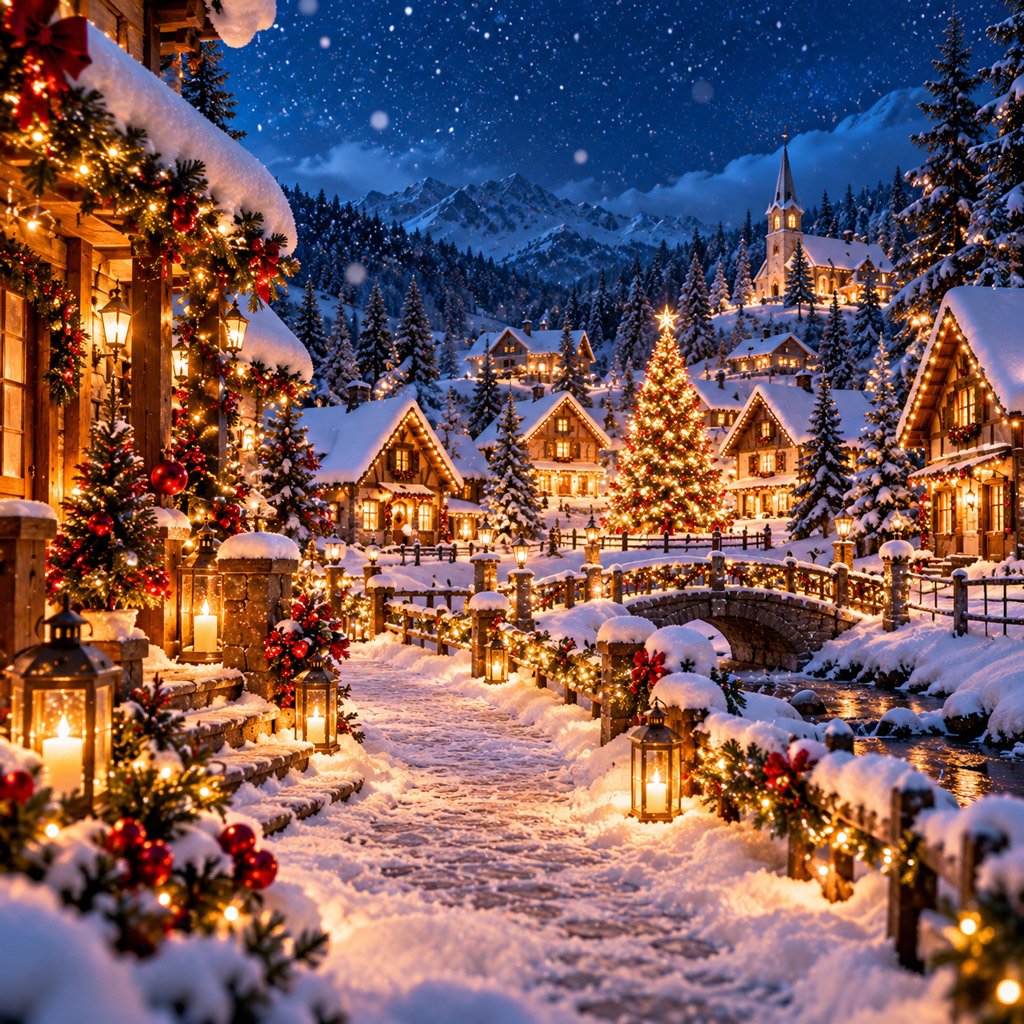
Merry Christmas
Christmas is a wonderful time to spread happiness, share love, and make beautiful memories with the people who matter most. A personalized Christmas images with your name adds a special touch to your greetings and makes your wishes more meaningful.
With our Christmas Image Maker, you can create your own festive greeting without needing graphic design skills. Choose a beautiful Christmas background, enter the recipient’s name, customize your message, select a font, and download your finished image.
Whether you want to wish your family, surprise a friend, send greetings to your partner, or share festive wishes with colleagues, a personalized Christmas image with name is an easy way to make the occasion memorable.
What Can You Customize?
Our Christmas Image Maker offers simple customization options to help you create a greeting that matches your style.
- Choose Image – Select your favorite Christmas background featuring Christmas trees, snowflakes, Santa Claus, gifts, or festive decorations.
- Add Name – Personalize your Christmas greeting with the recipient’s name.
- Add Quote – Write a heartfelt Christmas message or festive wish.
- Shuffle Quote – Discover another available Christmas greeting.
- Choose Font – Select a font style that complements your Christmas design.
- Download PNG – Save your personalized Christmas image and share it with others.
These features make it easy to create unique Christmas greetings for different people and occasions.
How to Use the Christmas Image Maker
Creating a personalized Christmas image is quick and straightforward. Follow these simple steps to design a festive greeting.
1. Choose a Christmas Image
Start by selecting a background from the available images in the generator. Choose a design that captures the warmth and excitement of Christmas.
Popular background ideas include decorated Christmas trees, Santa Claus, snow-covered landscapes, Christmas gifts, sparkling lights, red and green decorations, golden ornaments, and cozy winter scenes.
Choose a background that complements your message and makes the greeting attractive and easy to read.
2. Enter the Recipient’s Name
Add the name of the person you want to wish a Merry Christmas. Including a name makes your greeting feel more personal than sharing a generic Christmas image.
For example, you can create greetings such as:
- Merry Christmas, Rahul!
- Merry Christmas, Mom and Dad!
- Merry Christmas, Sarah!
- Merry Christmas, My Best Friend!
- Merry Christmas, My Love!
- Merry Christmas, Dear Family!
- Merry Christmas, Team!
- Merry Christmas, Our Valued Customers!
Adding a name helps you create a greeting for a specific friend, family member, colleague, or customer.
3. Add Your Own Christmas Message
Use the quote field to write a message that expresses your Christmas wishes. You can keep it short and cheerful or write something more heartfelt.
Here are some Christmas message ideas:
- May your Christmas be filled with love, laughter, and beautiful memories.
- Wishing you a Merry Christmas and a New Year full of happiness and success.
- May the magic of Christmas bring peace, joy, and warmth to your home.
- Sending you love, happiness, and warm wishes this Christmas.
- May your holidays sparkle with happiness and your heart overflow with gratitude.
- Wishing you and your family a wonderful Christmas filled with love and togetherness.
- May this festive season bring new hope, beautiful moments, and countless reasons to smile.
You can replace the default message with your own words to make every greeting unique.
4. Shuffle the Christmas Quote
Not sure what to write? Use the Shuffle Quote option to discover another available Christmas message.
This feature is useful when you want to create multiple Christmas greeting images without repeating the same words. Try different quotes until you find one that suits the recipient and occasion.
5. Choose Your Font
The font selection option allows you to customize the appearance of your Christmas greeting. Choose an elegant font for a classic festive design or a playful style for a cheerful Christmas image.
Make sure the recipient’s name and message stand out against the background. A readable font helps your greeting look polished and attractive.
6. Download the PNG
Once your personalized Christmas image looks the way you want, click the Download PNG button.
Save the finished image to your device and share it through WhatsApp, Facebook, Instagram, Pinterest, email, or other messaging platforms.
You can create different Christmas designs for different people without manually editing each image in a graphic design application.
Christmas Wishes Generator for Personalized Messages
A Christmas Wishes Generator can help you find the right words when you want to send festive greetings but need some inspiration.
Different people may appreciate different types of Christmas messages. A greeting for your parents can be warm and heartfelt, while a message for a colleague or customer may be more professional.
| Recipient | Suitable Message Style |
|---|---|
| Parents | Loving and heartfelt |
| Friends | Friendly and cheerful |
| Partner | Sweet and romantic |
| Children | Fun and magical |
| Colleagues | Polite and positive |
| Customers | Professional and grateful |
| Teachers | Respectful and thoughtful |
| Family | Warm and joyful |
| Business Partners | Professional and sincere |
Combine a suitable message with a personalized name and an attractive Christmas background to create a greeting that feels special.
Christmas Message Ideas for Your Images
If you need inspiration for your personalized greeting, try one of these Christmas wishes.
1. Heartfelt Christmas Wishes
- May your home be filled with love, your heart with happiness, and your Christmas with beautiful memories.
- Wishing you a peaceful Christmas filled with warmth, kindness, and joy.
- May the spirit of Christmas bring you hope, happiness, and countless blessings.
- Sending you heartfelt wishes for a wonderful Christmas surrounded by people you love.
- May this Christmas bring you closer to your dreams and fill your life with positivity.
2. Christmas Wishes for Friends
- Merry Christmas to an amazing friend! May your holidays be full of laughter and unforgettable memories.
- Wishing you a magical Christmas filled with happiness, love, and festive fun.
- Christmas is even more special with wonderful friends like you. Have a fantastic holiday!
- May your Christmas be as cheerful and wonderful as your friendship.
- Sending you warm wishes, big smiles, and lots of Christmas cheer!
3. Christmas Wishes for Family
- Merry Christmas to my wonderful family! May our home always be filled with love and laughter.
- Wishing our family a beautiful Christmas filled with togetherness and happiness.
- May this Christmas bring us more precious moments and unforgettable memories.
- Thank you for making every celebration special. Merry Christmas!
- Sending love and warm Christmas wishes to everyone who makes our family so special.
4. Romantic Christmas Wishes
- Merry Christmas, my love! You make every season brighter and every moment more special.
- The best gift of Christmas is having you in my life.
- May our Christmas be filled with love, laughter, and beautiful memories together.
- You make my world feel magical. Wishing you the happiest Christmas ever.
- All I want this Christmas is to see you happy and smiling.
5. Christmas Wishes for Children
- Merry Christmas, little star! May your day be filled with magical surprises and happy smiles.
- Wishing you a Christmas full of gifts, laughter, candy canes, and holiday fun.
- May Santa bring you happiness, excitement, and everything you have been wishing for.
- Have a magical Christmas filled with wonderful adventures and sweet memories.
- Keep smiling, keep dreaming, and enjoy every moment of this festive season!
6. Professional Christmas Messages
- Wishing you and your team a Merry Christmas and a successful New Year.
- May this festive season bring you happiness, prosperity, and new opportunities.
- Thank you for your continued trust and support. Merry Christmas!
- Sending warm holiday wishes to you and your family.
- May the coming year bring continued growth, success, and meaningful achievements.
7. Short Christmas Quotes
- Merry Christmas!
- Believe in the magic of Christmas.
- Spread love and Christmas cheer.
- Let your heart sparkle this Christmas.
- Peace, love, and holiday joy.
- Make this Christmas unforgettable.
- Keep calm and enjoy Christmas.
- May your days be merry and bright.
- All is calm, all is bright.
- Wishing you a magical Christmas!
Why Personalized Christmas Images Are Special
A simple Christmas message can express your wishes, but a personalized image adds a visual touch that makes the greeting more memorable.
For example, a basic message such as “Merry Christmas!” works for many situations. A personalized greeting such as “Merry Christmas, Priya! May your home be filled with happiness and love” feels more thoughtful to the person receiving it.
You can also customize your message according to your relationship with the recipient or the type of Christmas celebration.
Personalized Christmas images are useful for:
- Sending festive wishes to friends and family.
- Sharing Christmas greetings with parents and relatives.
- Surprising a partner with a personalized message.
- Celebrating Christmas with colleagues and team members.
- Appreciating customers and business partners.
- Sharing festive greetings on social media.
- Sending holiday wishes to people who live far away.
A personalized greeting helps turn a simple Christmas wish into a thoughtful digital message.
Free Christmas Images for WhatsApp
Christmas images are an easy way to share festive wishes through WhatsApp chats, groups, and status updates. Instead of forwarding a generic image, you can create a customized greeting with the recipient’s name and your own Christmas message.
Choose a background, enter a name, add a Christmas quote, select your preferred font, and download the PNG.
You can then share the finished image with friends, family, colleagues, or customers.
For better results on mobile screens:
- Use a clear and attractive Christmas background.
- Keep the festive message short.
- Make the recipient’s name easy to read.
- Choose colors that complement the design.
- Avoid adding too many decorative elements.
A personalized Christmas image is a thoughtful way to make someone’s holiday season brighter.
Free Christmas Images for Social Media
Personalized Christmas images can also be shared on Facebook, Instagram, Pinterest, and other social media platforms.
Individuals can use these images to share festive greetings with their followers, while businesses can create Christmas graphics to appreciate customers, celebrate team achievements, and send seasonal wishes.
For better visual results:
- Choose a festive background with Christmas colors.
- Keep the main message short and meaningful.
- Highlight the recipient’s name.
- Use a readable font and balanced layout.
- Preview the image before downloading.
A well-designed Christmas image can communicate your wishes without requiring a long caption.
Personalized Christmas Image Ideas for Different People
You can personalize your greeting according to the person you want to wish.
1. For Parents
Choose a warm background with a decorated Christmas tree, golden ornaments, soft lights, or elegant festive decorations.
Message idea: “Merry Christmas, Mom and Dad! Thank you for filling my life with love and happiness. Wishing you a beautiful holiday season filled with peace and joy.”
2. For Friends
Use a cheerful design with colorful lights, Christmas gifts, Santa Claus, or playful holiday illustrations.
Message idea: “Merry Christmas, my friend! May your holidays be full of laughter, exciting surprises, and wonderful memories.”
3. For Someone Special
Choose an elegant background with glowing lights, snowflakes, stars, or romantic Christmas decorations.
Message idea: “Merry Christmas, my love! You make every moment magical, and I am grateful to share this beautiful season with you.”
4. For Children
Choose a colorful background featuring Santa Claus, reindeer, Christmas stockings, candy canes, or presents.
Message idea: “Merry Christmas, little superstar! May your day be filled with magical surprises, sweet treats, and endless smiles.”
5. For Teachers and Mentors
Choose a simple and respectful background that reflects appreciation and festive warmth.
Message idea: “Merry Christmas! Thank you for your guidance, encouragement, and support. Wishing you happiness and peace this holiday season.”
6. For Customers
Use a clean, professional background with tasteful Christmas decorations that match your brand identity.
Message idea: “Merry Christmas! Thank you for your trust and continued support. We wish you and your family a joyful holiday season and a prosperous New Year.”
7. For Colleagues and Employees
Choose a professional design with tasteful festive decorations and seasonal colors.
Message idea: “Wishing you a Merry Christmas! Thank you for your dedication and teamwork. May the holiday season bring you happiness and renewed inspiration.”
Tips for Creating Better Personalized Christmas Images
A few simple design choices can improve the appearance of your personalized Christmas greeting.
1. Keep the Message Short
A short Christmas message is easier to read and works well on mobile screens. Choose words that express your wishes without overcrowding the image.
2. Select the Right Background
Christmas trees, snowflakes, festive lights, gifts, and winter landscapes are popular choices. Select a background that matches the tone of your message.
3. Use a Readable Font
Choose a font that makes the recipient’s name and message easy to understand. Decorative fonts can look attractive, but readability should remain a priority.
4. Check the Name Spelling
Always verify the recipient’s name before downloading the final image. Correct spelling makes the greeting look more polished and thoughtful.
5. Match the Message to the Recipient
A cheerful Christmas wish for a friend may be different from a romantic greeting for your partner or a professional message for a customer. Choose words that suit your relationship.
6. Preview Before Downloading
Review the completed design to ensure that the name, quote, font, and background work well together.
Taking a moment to check your design helps ensure that your Christmas image is ready to share.
Personalized Christmas Images vs. Regular Christmas Images
Traditional Christmas images are generally ready-made designs that you can download and share as they are. A personalized image maker gives you more flexibility to customize the greeting before saving it.
| Feature | Regular Christmas Image | Personalized Christmas Image Maker |
|---|---|---|
| Ready-made backgrounds | Yes | Yes |
| Add recipient name | Usually limited | Yes |
| Customize message | Usually limited | Yes |
| Shuffle available quotes | Not usually | Yes |
| Choose font | Depends on source | Yes |
| Download PNG | Depends on source | Yes |
| Personalized greeting | Limited | More flexible |
The main advantage of a personalized Christmas Image Maker is convenience. You can create a greeting that suits the recipient without needing separate graphic design software.
Who Can Use the Christmas Image Maker?
The Christmas Image Maker can be useful for anyone who wants to share festive wishes through a personalized digital greeting.
- Parents and family members
- Friends and relatives
- Couples and partners
- Children and students
- Teachers and mentors
- Employees and colleagues
- Business owners and customers
- Entrepreneurs and professionals
- Social media creators
It is also useful for people who regularly share greetings and want an easy way to create fresh Christmas designs.
Frequently Asked Questions
Q1. What is a Free Christmas Image Maker?
A Free Christmas Image Maker is an online tool that helps users create personalized Christmas greetings by choosing a background, adding a name, customizing a message, and selecting a font. Available features depend on the generator.
Q2. How can I create a Christmas image with a name?
Choose an available Christmas background, enter the recipient’s name, add a festive message, select a font, preview your design, and click the Download PNG button.
Q3. Can I create Christmas images for free?
If the generator is available without a fee, you can use its provided customization features to create and download personalized Christmas images for free.
Q4. Can I write my own Christmas message?
Yes. If the generator includes an editable quote field, you can replace the existing text with your own Christmas wishes.
Q5. Can I change the font on my Christmas image?
Yes. If font selection is supported, you can choose from the available font styles to customize the appearance of your Christmas greeting.
Q6. What does the Shuffle Quote option do?
The Shuffle Quote option displays another available Christmas message, helping you find different festive wishes without writing every message yourself.
Q7. Can I download my personalized Christmas image?
Yes. If the generator supports PNG downloads, you can save the completed image to your device using the Download PNG option.
Q8. Can I share Christmas images on WhatsApp?
Yes. After downloading the image, you can share it in WhatsApp chats, groups, or status updates, subject to the platform’s supported image formats.
Q9. Can businesses use personalized Christmas images?
Yes. Businesses can use personalized Christmas greetings to appreciate customers, recognize employees, thank business partners, and share festive wishes with their audience.
Q10. Can I use the Christmas Image Maker on my mobile phone?
You can use it on a mobile phone if the generator is compatible with your device and browser. The downloaded image can then be shared through supported apps.
Conclusion
You do not need professional graphic design skills to create an attractive Christmas greeting. A personalized Christmas Image Maker makes it easier to combine a festive background, recipient’s name, and meaningful message into one design.
Choose your favorite Christmas background, add a name, customize your festive message, select a font, and download your personalized image.
Whether you want to wish a friend, surprise a family member, send love to your partner, or greet a colleague, a personalized Christmas image can make the occasion more special.
If you are looking for a Free Personalized Christmas Images with Your Name, Happy Time Wishes (HTW) offers a convenient way to create and share personalized Christmas greetings for different people and occasions.
Create your own Christmas image, add a personal touch, and spread the joy of Christmas with someone today.