
Free AI Generated Good Night Images – Create Personalized Night Wishes
At Happy Time Wishes (HTW), we believe every night is a chance to end the day with a little love, peace, and positivity. AI Generated Good Night Images make it easy to create beautiful personalized wishes for your loved ones. Choose an image, add a name, write a quote, select a font, and download your greeting to share before bedtime.
Choose an Image Below
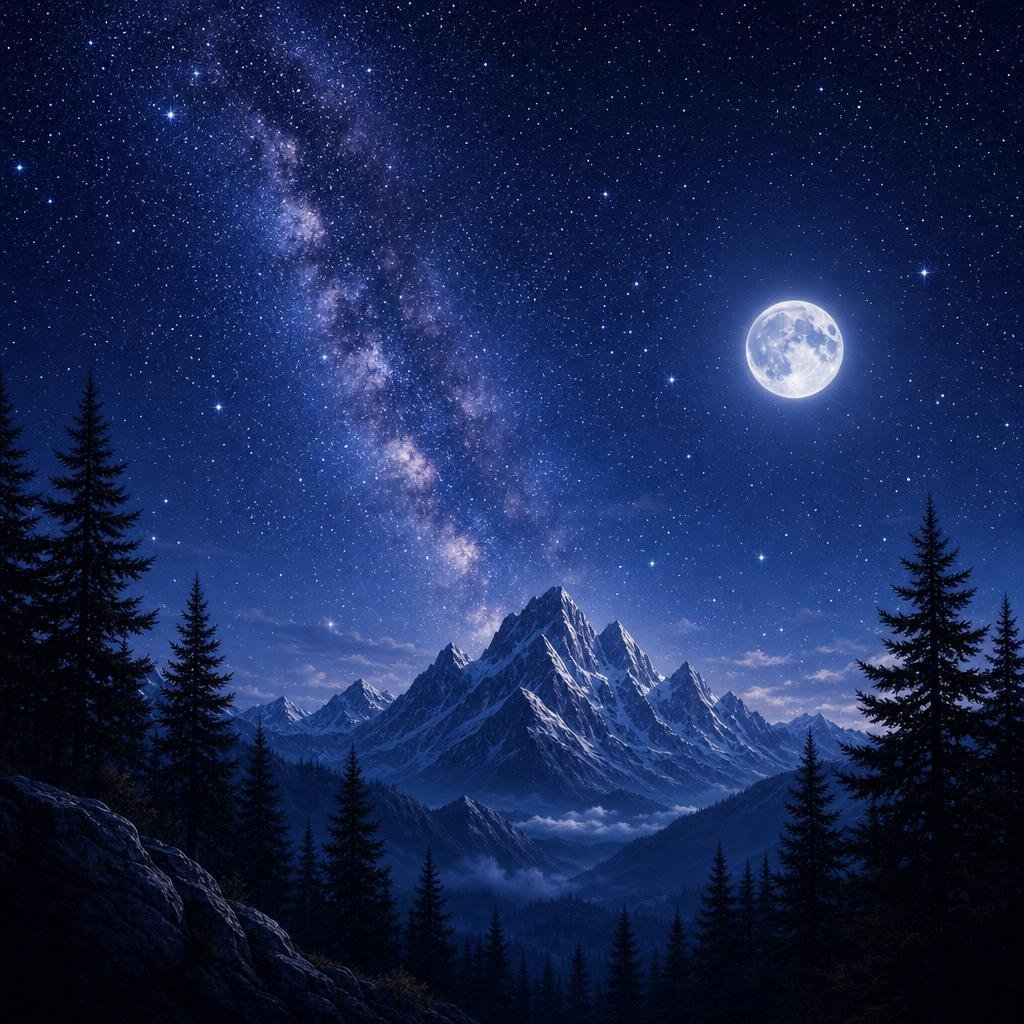
Good Night
AI Generated Good Night Images make it easy to create beautiful and personalized night greetings for friends, family, colleagues, or someone special. With our free Good Night Image Generator, you can choose a night-themed image, add a name, customize your quote, select a font, and download the finished image as a PNG.
A simple Good Night message can be a thoughtful way to end someone’s day. Instead of sending the same greeting every night, you can create a fresh image with a different background, name, and message in just a few clicks.
Create a Personalized Good Night Image
Finding a beautiful Good Night image online is easy, but most ready-made images cannot be personalized. Our generator gives you simple customization options without requiring graphic design software.
You can create your own Good Night greeting by choosing an image, adding a name, changing the quote, selecting a font, and downloading the final design.
The tool is designed for everyday use, so you don’t need experience with Photoshop, Canva, or other complicated editing applications.
What Can You Customize?
- Choose Image – Pick your favorite night background.
- Add Name – Personalize the greeting.
- Add Quote – Write your own message.
- Shuffle Quote – Get a fresh wish.
- Choose Font – Select your preferred style.
- Download PNG – Save and share your image.
How to Use the Good Night Image Generator
Creating a personalized Good Night greeting is quick and straightforward. You can make a new image whenever you want without starting the design process from scratch.
1. Choose a Good Night Image
Begin by selecting one of the available images in the generator. The collection includes different night-themed backgrounds that can create a peaceful and relaxing feeling.
You may find images featuring stars, the moon, mountains, night skies, glowing landscapes, and other calming scenes.
Choose a background that matches the mood you want your Good Night message to express.
2. Enter the Recipient’s Name
Next, enter the name of the person you want to send the greeting to. Adding a name makes the image feel more personal than a generic Good Night picture.
For example, you can create messages such as:
- Good Night, Mom!
- Good Night, Rahul!
- Good Night, My Friend!
- Good Night, Everyone!
This small personalization can make an ordinary greeting feel more thoughtful.
3. Add Your Own Quote
The quote field allows you to write your own Good Night message. You can keep it short and simple or make it more meaningful depending on who will receive the image.
For example:
Wishing you a peaceful night.
You can replace the default quote with your own message whenever you want.
4. Shuffle the Quote
Not sure what to write? Use the Shuffle Quote option to get another available Good Night message.
This is useful when you want to create several greetings without manually thinking of a new quote every time.
It can also help you discover a message that better matches the image or the person you’re sending it to.
5. Choose Your Font
The font selection option lets you change the appearance of the text on your greeting. A clean font can make your message easy to read, while another style may give the greeting a more decorative appearance.
Try different available fonts and select the one that looks best with your chosen background and quote.
6. Download the PNG
Once your Good Night image looks the way you want, click the Download PNG button.
Your personalized image can then be saved to your device and shared through WhatsApp, Facebook, Instagram, or other messaging and social media platforms.
AI Good Night Wishes Generator for Fresh Messages
An AI Good Night Wishes Generator can be helpful when you want to send a meaningful message but don’t know what to write.
Instead of repeating the same “Good Night” every day, you can create different messages based on the person, mood, or occasion.
| Recipient | Suitable Message Style |
|---|---|
| Parents | Warm and loving |
| Friends | Simple and cheerful |
| Partner | Sweet and romantic |
| Colleagues | Polite and positive |
| Family | Caring and thoughtful |
| Customers | Friendly and professional |
The right message can make a simple Good Night image feel more personal and memorable.
Good Night Message Ideas for Your Images
If you need inspiration, you can use short messages that express peace, happiness, gratitude, or affection.
Peaceful Good Night Wishes
- Wishing you a peaceful and relaxing night.
- Good Night! Sleep peacefully and wake up refreshed.
- May your night be calm and your dreams be beautiful.
Motivational Good Night Wishes
- Rest well tonight and get ready for a brighter tomorrow.
- Good Night! Tomorrow is another chance to do something amazing.
- Leave today’s worries behind and welcome a fresh tomorrow.
Family Good Night Wishes
- Good Night! Sleep well and stay happy.
- Wishing you a peaceful night filled with sweet dreams.
- May you have a restful night and a wonderful tomorrow.
Good Night Wishes for Friends
- Good Night, my friend! Have a peaceful sleep.
- Sleep well and wake up with a big smile.
- Good Night! See you tomorrow with fresh energy.
Why Personalized Good Night Images Are Special
A generic greeting can still be meaningful, but adding a person’s name and a carefully selected message gives the image a more personal touch.
For example, “Good Night!” is a simple greeting. But “Good Night, Neha! Wishing you a peaceful night and beautiful dreams” feels more specifically written for the recipient.
You can also choose different messages depending on your relationship with the person.
Personalization turns a simple digital greeting into a message that feels intentionally created for someone.
Free Good Night Images for WhatsApp
Good Night images are frequently shared through WhatsApp, especially among family members, friends, and social groups.
Instead of forwarding the same image that has already been shared many times, you can create your own personalized version.
Select a night image, enter the recipient’s name, choose a quote, select a font, and download the PNG.
You can then share the finished greeting directly through WhatsApp.
Because the design can be customized, you can create a different greeting for different people without having to edit the image manually.
Free Good Night Images for Social Media
Personalized Good Night images can also be used for social media posts and stories. If you regularly share inspirational or positive content, a simple night-themed image can provide an easy way to publish something new.
Try combining different backgrounds with short quotes and different typography styles.
For social media, keep the message easy to read. A short quote usually works better than a large block of text, especially when people are viewing the image on mobile devices.
A clean background and short message can make a Good Night social media image more attractive and easier to understand.
Good Night Image Ideas for Different People
The same greeting doesn’t have to work for everyone. You can change the message according to the recipient.
For Parents
Choose a warm and respectful message that expresses care and appreciation.
Good Night! Wishing you a peaceful sleep and a beautiful tomorrow.
For Friends
A simple and cheerful message is often enough.
Good Night, my friend! Sleep well and wake up smiling.
For Someone Special
You can choose a more affectionate message for someone close to you.
Good Night! May your dreams be as beautiful as your smile.
For Colleagues
Keep the message positive and professional.
Good Night! Have a restful evening and a productive tomorrow.
Tips for Creating Better Good Night Images
A few simple choices can improve the final appearance of your greeting.
1. Keep the Quote Short
Long messages can make the image look crowded. A short sentence is generally easier to read and works well with scenic backgrounds.
2. Choose a Calm Background
Night greetings naturally work well with peaceful visuals such as stars, moonlight, mountains, skies, and dark landscapes.
3. Use a Readable Font
Your quote should be easy to read against the background. Try different font options to find one that provides a clear visual contrast.
4. Check the Name
Before downloading, check the spelling of the recipient’s name. A quick review can prevent simple mistakes in the final greeting.
Preview Before Downloading
Look at the completed image before saving it. Make sure the name, quote, and overall design look correct.
Taking a few seconds to review your greeting can help ensure that the final image is ready to share.
AI Generated Good Night Images vs. Regular Images
Traditional Good Night images are usually ready-made. You find an image you like and share it as it is.
A personalized generator provides more flexibility because you can change important elements of the greeting before downloading it.
| Feature | Regular Good Night Image | Personalized Generator |
|---|---|---|
| Ready-made backgrounds | Yes | Yes |
| Add recipient name | Usually no | Yes |
| Customize quote | Usually no | Yes |
| Shuffle quotes | No | Yes |
| Choose font | Usually no | Yes |
| Download PNG | Depends on source | Yes |
| Personalization | Limited | High |
The main benefit is convenience. You can personalize the greeting without opening a separate graphic design application.
Who Can Use the Good Night Image Generator?
The tool is suitable for anyone who enjoys sending Good Night greetings or creating simple visual content.
- Parents and grandparents
- Friends and relatives
- Partners
- Colleagues
- Customers
- Family WhatsApp groups
- Social media followers
It can also be useful for people who regularly share inspirational messages and want a quick way to create fresh Good Night images.
Frequently Asked Questions
Q1. What are AI Generated Good Night Images?
AI Generated Good Night Images are digital greeting images created or customized using AI-assisted image technology. They can include night backgrounds, personalized names, quotes, and different visual styles.
Q2. How do I create a personalized Good Night image?
Choose an image, enter the recipient’s name, add or change the quote, select a font, preview your design, and click the Download PNG button.
Q3. Can I add a name to a Good Night image?
Yes. Enter the recipient’s name in the name field to personalize your Good Night greeting.
Q4. Can I write my own Good Night quote?
Yes. You can replace the existing quote with your own message and create a greeting that is specific to the person receiving it.
Q5. What is the AI Good Night Wishes Generator?
An AI Good Night Wishes Generator helps you create or discover suitable Good Night messages. It can be useful when you want fresh ideas instead of repeating the same greeting.
Q6. What does the Shuffle Quote option do?
The Shuffle Quote option lets you switch to another available Good Night message, making it easier to create a fresh greeting.
Q7. Can I change the font?
Yes. You can select an available font style to customize the appearance of your Good Night message.
Q8. Can I download the Good Night image?
Yes. After customizing your greeting, click Download PNG to save the completed image.
Q9. Can I share the image on WhatsApp?
Yes. After downloading the PNG, you can share the image on WhatsApp, Facebook, Instagram, or other platforms that support image sharing.
Conclusion
You don’t need graphic design experience to create a beautiful Good Night greeting. The generator gives you the basic tools you need to personalize your image quickly.
Choose a beautiful night background, add a name, customize your quote, select a font, and download your personalized Good Night image.
Whether you’re sending a peaceful wish to your parents, a cheerful message to a friend, or a special greeting to someone close to you, a personalized image can make your final message feel more thoughtful.
If you’re searching for AI Generated Good Night Images, creating your own personalized greeting can be a simple alternative to repeatedly sharing generic images.
Choose your favorite design, add your message, personalize it, and share a little happiness before the day comes to an end.